Prem simultàniament la tecla d’encesa i la tecla de volum avall del teu Xiaomi Mi 11. Si el que vols és capturar un vídeo el procediment és el mateix, però prement la tecla d’encesa i la tecla de volum a dalt.
Arxiu de la categoria: Bloc de Notes
Comandament remot universal RM4C mini
Respon
He seleccionat aquest youtube què explica la configuració prou bé.
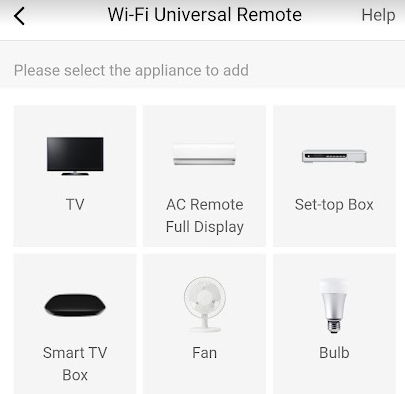
Vull ressaltar que un cop instal·lada l’APP ´broadlink’ el segon aparell a inatal·ar es AC (aire acondicionat)
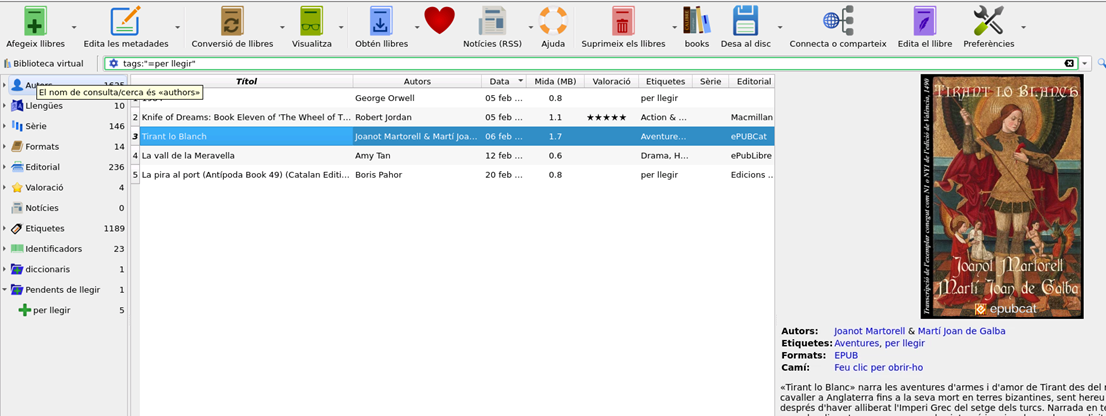
La biblioteca Calibre a internet
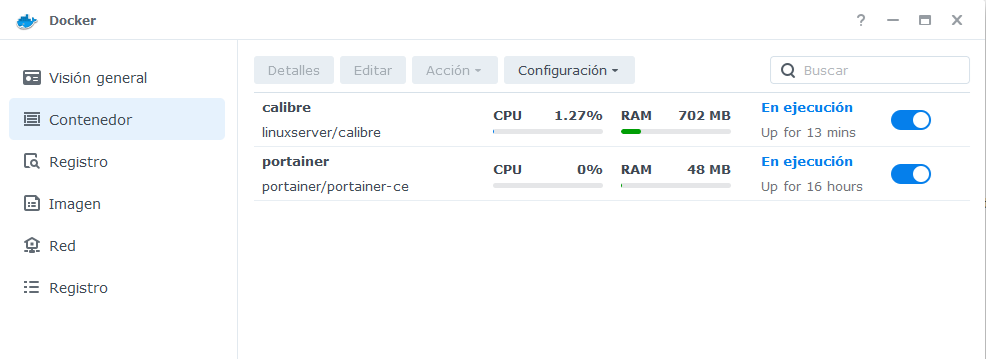
La aplicació Docker ha d’està oberta i calibre en execució:
Ja hem vist que Calibre es pot instal·lar a la xarxa: Calibre 192.168.1.41:7080. O el que es el mateix amb la ip externa Calibre 81.0.60.36:7080
Esc
Per sortir del lector de llibres hi ha que prémer Surt
Imatges PC’s mut
És molt convenient tenir imatges dels ordinador de què t’has de fer càrrec. Ja siguin teus o d’un familiar, què siguin a casa a o la segona residència. Jo en concret en tinc nou, així que he habilitat un directori al Synology Secundari (backups pc) on he creat tans subdirecoris com ordinadors a mantenir.
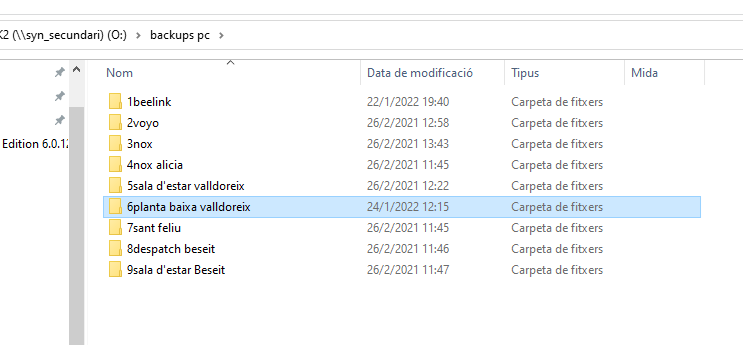
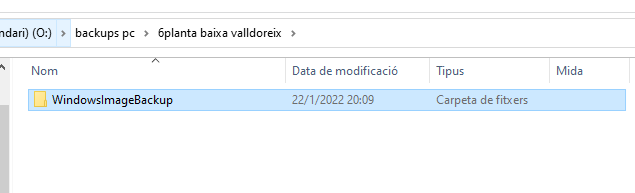
Cada carpeta ha de tenir una subcarpeta com aquesta, es a dir una imatge d’un dels ordinadors:
Procediment per fer aquestes imatges:
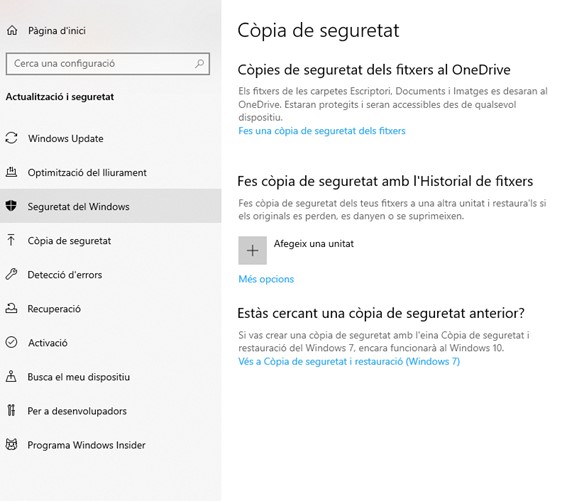
Es selecciona la carpeta de xarxa: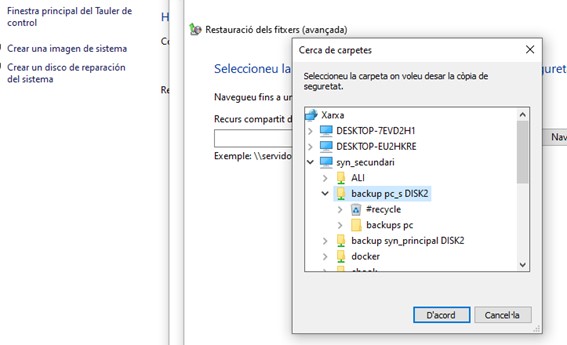 \\syn_secundari\backup pc_s DISK2\backups pc\6planta baixa valldoreix\
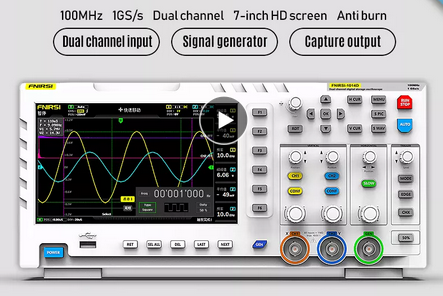
FNIRSI-Oscil·loscopi digital 1014D

Introducció:
FNIRSI-1014D és un oscil·loscopi dos en un i generador de senyal llançat per FNIRSI. Té funcions integrals i alta practicitat. És un oscil·loscopi d’escriptori de doble canal rendible per a la indústria del manteniment i la indústria d’R + D. L’oscil·lador té una taxa de mostreig en temps real de 1GSa / s i 100MHz * 2 ample de banda analògic; Funció de dispar complet (temps únic/normal/automàtic). Tant per a senyal analògic periòdica com per a senyal digital aperòdica es poden utilitzar lliurement; Generador de senyal de funció DDS integrat i sortida de tall original de la indústria (@ 2.5vpp),. Tots els passos de freqüència de senyal són de 1Hz, admeten 14 tipus de senyal de funció estàndard i un senyal de tall personalitzable, en tallar el dispositiu de sortida, intercepta part o tota la part dels senyals complexos mesurats per l’ oscil·lador com el senyal de sortida del generador de senyals, que pot emmagatzemar fins a 1000 senyals de tall personalitzats; El mòdul de protecció d’ alt voltatge integrat pot suportar un voltatge continu de fins a 400V, sense preocupar-se per l’ accident de combustió de l’ oscil·lador causat per la sonda que no es mou a un engranatge de 10x. Mode de desplaçament de la base de temps gran, que pot monitorejar els canvis de nivell lent; Equipat amb un botó automàtic eficient, que pot mostrar la forma d’ona mesurada sense un ajust tediós; pantalla LCD d’ alta definició amb resolució de 7 polzades 800* 480; Funció de mesurament del cursor, en llegir manualment paràmetres d’ amplitud i freqüència, No necessita llegir la unitat d’ escala de fons i la quantitat, i no necessita convertir per obtenir directament el pic al pic i la freqüència extremadament convenient captura de pantalla i funció d’ emmagatzematge de forma d’ ona, 1GB d’ espai d’ emmagatzematge incorporat, pot emmagatzemar fins a 1000 imatges de captura de pantalla + 1000 grups de dades de forma d’ona, El procés d’emmagatzematge és simple i ràpid, guardi la forma d’ona actual amb només un clic, sense avisos engreixats i opcions per guardar les dades actuals, molt convenient; Potent Administrador d’imatges de forma d’ona, admet navegació en miniatura, veure, veure detalls de les funcions de gir de pàgina, eliminació i ampliació de forma d’ona, Reduir i moure són convenients per a l’anàlisi secundària. El buc està equipat amb una interfície USB, que es pot connectar amb l’ordinador per compartir les seves pròpies imatges de captura de pantalla i l’ordinador, cosa que és convenient per a l’anàlisi secundària; la funció de visualització gràfica de Li Shayu es pot utilitzar per comparar i jutjar l’amplitud, freqüència i fase de dos grups de senyals; La funció de visualització FFT pot calcular el component harmònic dels senyals; La funció de visualització gràfica de Li Shayu es pot utilitzar per comparar i jutjar l’amplitud, freqüència i fase de dos grups de senyals;.
Característiques:
Generador de senyal DDS integrat, compatible amb 12 tipus de senyal de funció.
Funció de captura de senyal de sortida, que pot emmagatzemar fins a 1000 senyals de captura.
Algoritme de decodificació intel·ligent d’alt objectiu, l’encoderlifeis infinita i la funció intel·ligent antiquemadures, 1X pot suportar un voltatge de fins a 400V.
Amb ample de banda ana-log de 100MHz * 2 i taxa de mostreig de @ 1GSa/s (1X = 5MHz, 10X = 100MHz).
S’ ajusta completament a la pantalla LCD TFT a color de 7 polzades amb resolució de 800* 480 amb colors brillants i alt contrast.
Rang de voltatge de mesurament alta: 1X pot mesurar 0 ~ 40 V, 10X pot mesurar 0 ~ 400V.
Mesurament de fins a 12 paràmetres: VPP,VP,Vmax,Vmin,Vavg,Vrms, freqüent, Treball +, treball-, temps +, temps-, període.
Funció de mesurament del Cursor: És convenient mesurar manualment el període, la freqüència i el voltatge.
Funció de dispar complet (simple, normal, automàtica), i en qualsevol moment, la pantalla de forma d’ona (funció de pausa) està congelada.
Equipat amb un botó automàtic d’ alta eficiència i un botó d’ emmagatzematge en forma d’ ona i funció de captura de pantalla.
1GB d’ espai d’ emmagatzematge integrat, pot emmagatzemar fins a 1000 captures de pantalla + 1000 jocs de dades de forma d’ ona.
Potent Administrador d’ imatges en forma d’ ona admet navegació en miniatura, visualització, visualització detallada, gir de pàgina, eliminació
i zoom de forma d’ ona, zoom, moviment, etc. Equipat amb una interfície USB, que es pot connectar a un controlador com per compartir les seves captures de pantalla amb el controlador com, la qual cosa és convenient per a l’ anàlisi secundària.
La funció de visualització gràfica de figures lissajoses es pot utilitzar per determinar l’ amplitud, freqüència i contrast de fase de dos grups de senyals.
Funció de pantalla FFT, pot analitzar les característiques espectrals del senyal, tecnologia de compressió de memòria, la pantalla d’ actualització de forma d’ ona no parpadeja.
Amb la funció d’ajust de brillantor de pantalla i la funció d’ajust de brillantor d’id gr de fons, també és fàcil de portar.
Especificacions:
Material: ABS
Ana-log ample de la banda: 100MHz * 2
Nombre de canals: 2 canals
Velocitat màxima de mostreig en temps real: 1GSa/s
Sensibilitat Vertical: 50 mV/div ~ 500 V/div
Rang de base de temps Horitzontal: 50S/div ~ 10nS/div
Màxim voltatge de prova: 40 V (1X sonda), 400 V (10X sonda)
Profunditat d’ emmagatzematge: 240Kbit
Resistència d’ entrada: 1 MΩ
Precisió ADC: 8bits
Mode d’acoblament: CA/CC
Mode de dispar: simple, Normal, automàtic
Vora del disparador: vora ascendent/vora descendent
Voltatge de dispar extern 0 ~ 40 V
Ports d’ extensió: USB Exportació d’ imatges
Mida del paquet: 340x140x70mm/13,4×5,5 x polzades
Pes del paquet: 1500g/3,3lb
Llista d’ embalatge:
1 * FNIRSI-1014D d’oscil·lació
2 * sonda a joc de 100MHz (1X i 10X)
1 x Clip
Adaptador de corrent 1x5V 2a
1 x línia de dades USB
1 * Manual d’usuari en anglès
Accedint a Synology DS220+ amb ip fixa:5002
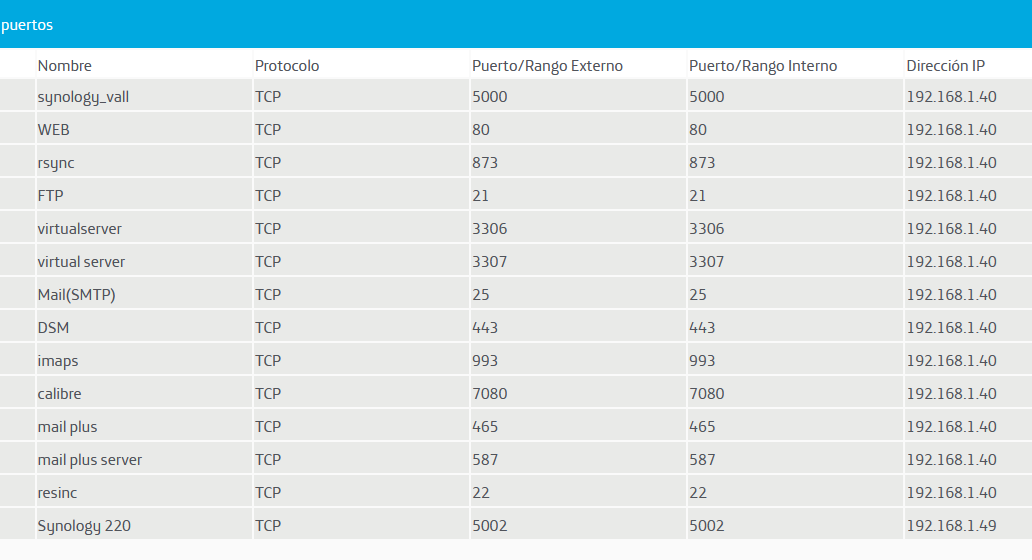
Obrir port del router: El port 5002 assignarà la ip interna 192.168.1.49 que hem d’haver assignat al synology DS220+ IP INTERNA
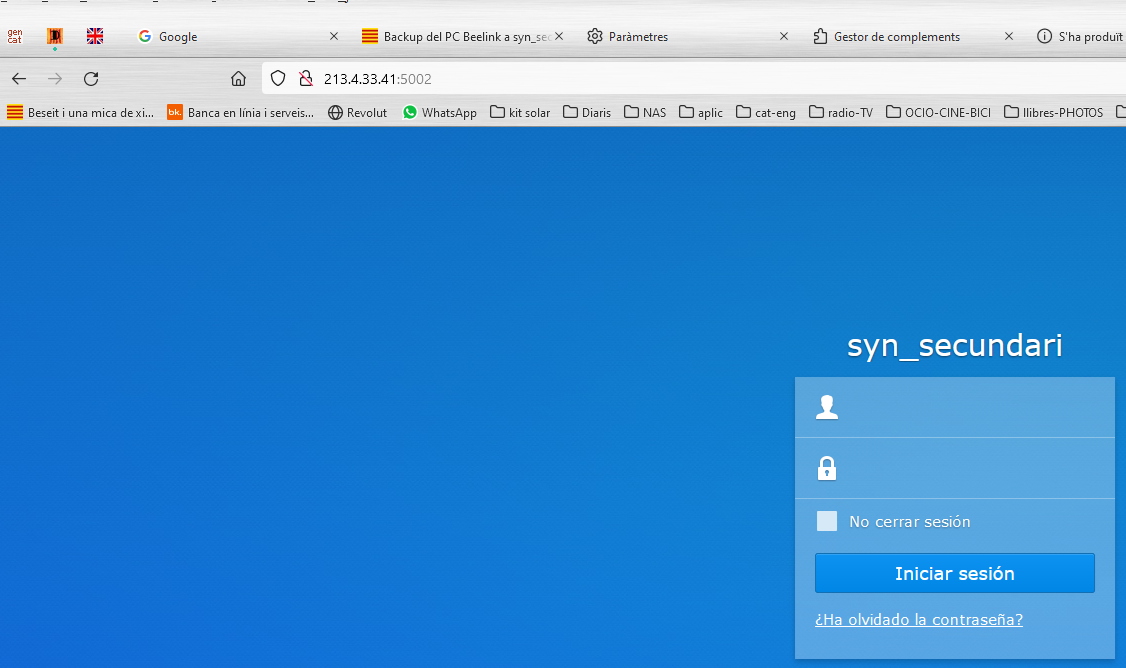
Backup del PC Beelink a syn_secundari
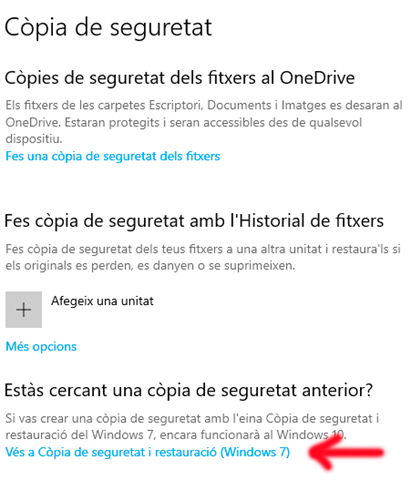
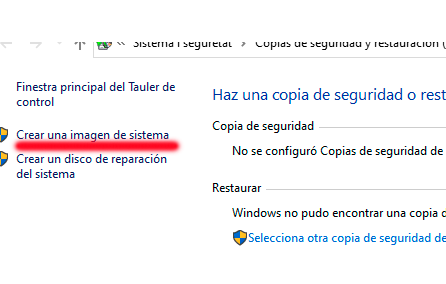
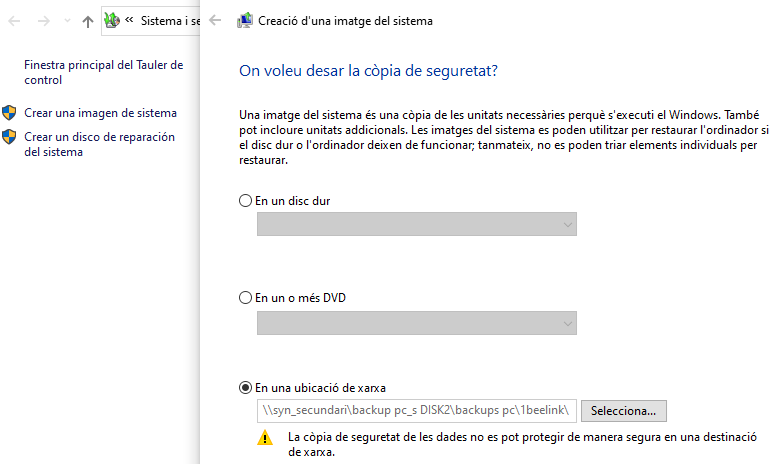
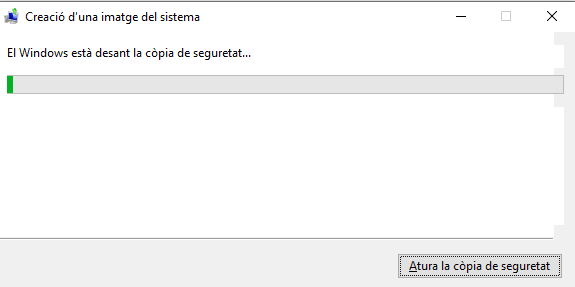
Un cop feta aquesta copia és bo comprovar que és correcta:
Synology_sec-> USB (DISC DUR) -> RECUPERACIO
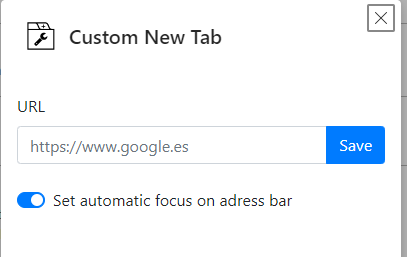
Extensió, custom New Tab al explorador Microsoft edge
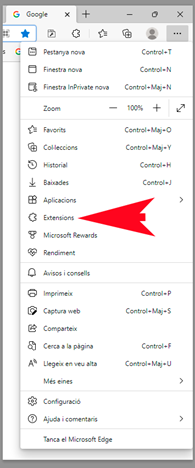
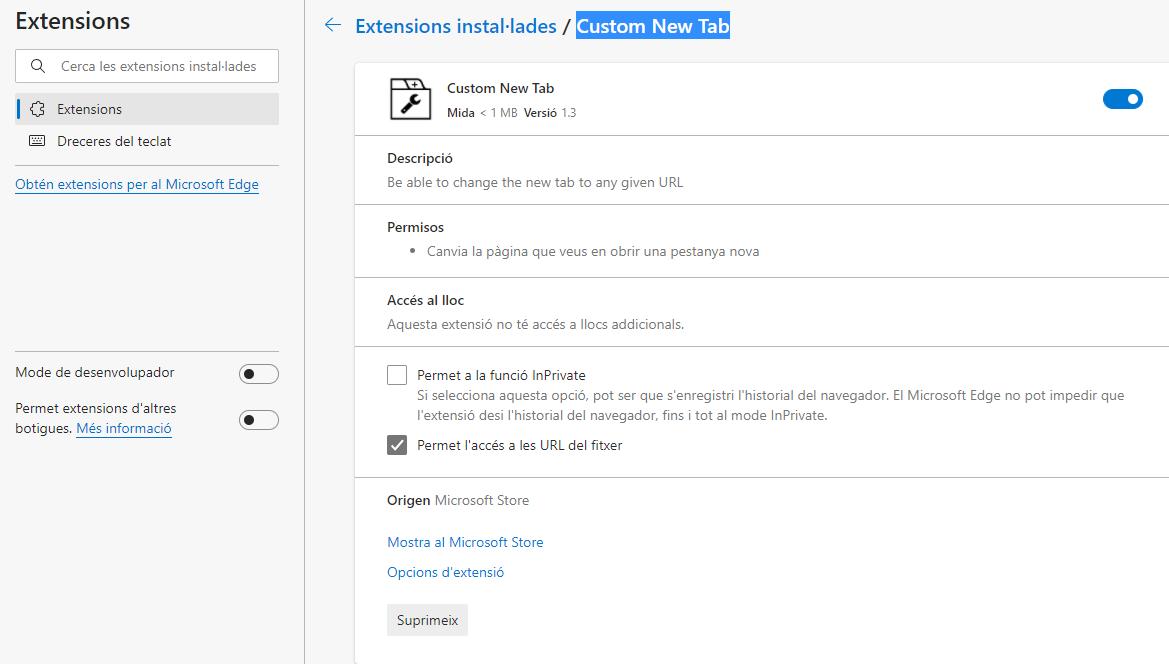
Opcions d’extensió
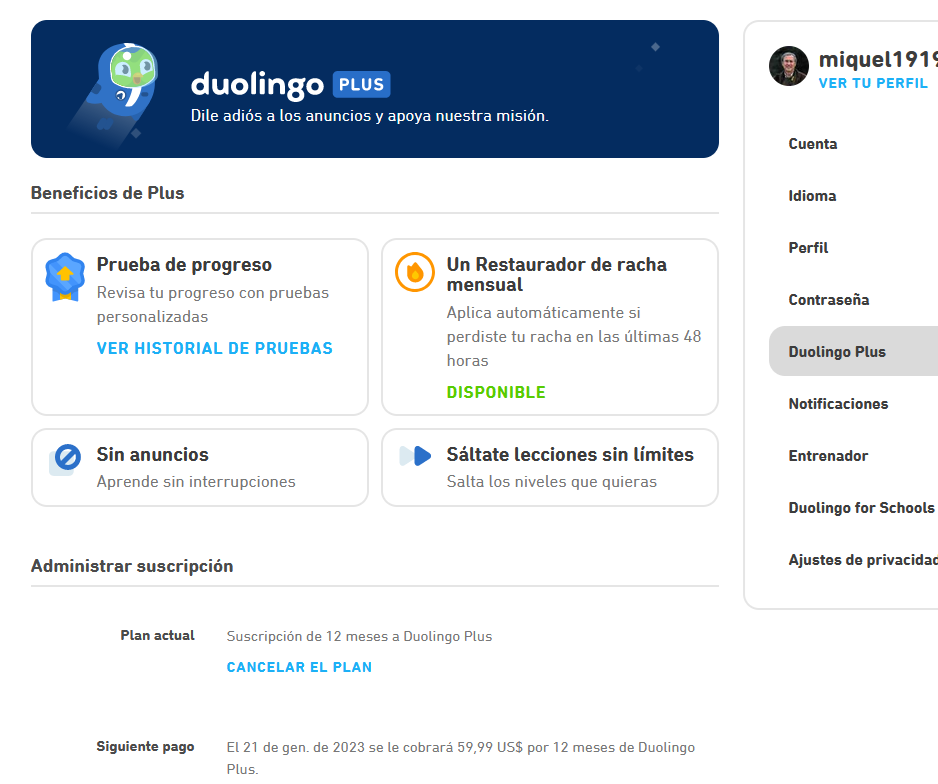
Duolingo
Recorda cancel·lar abans del següent pagament 21-1-23
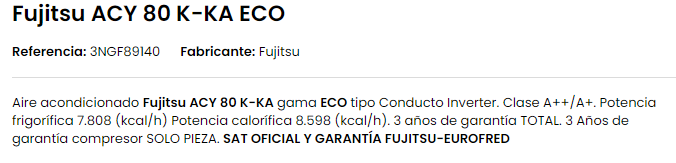
Fujitsu ACY 80 K-KA ECO
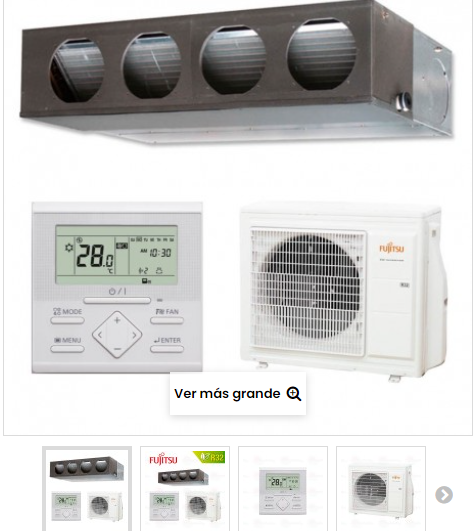
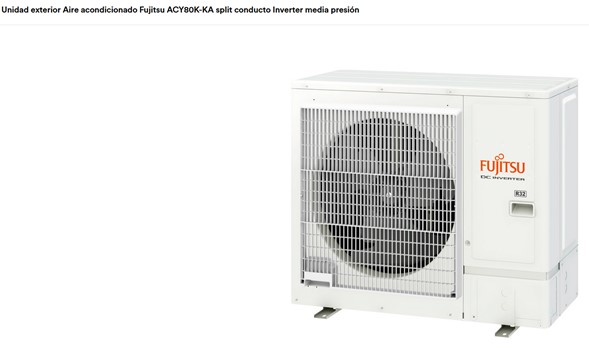
Unidad exterior Aire acondicionado Fujitsu ACY80K-KA split conducto Inverter media presión
Serie Media Presión KA ECO
Código: 3NGF89142
Modelo: Unidad exterior AOYG30KATA
Marca: FUJITSU
Ref. fabricante: AOYG30KATA
Unitat interior: Código: 3NGF89021Ref. fabricante: ARXG30KMLA

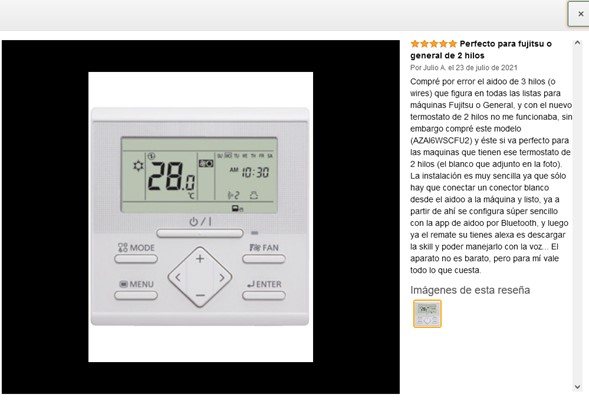
COMANDAMENT AMB FIL: UTY-RLRY
- Configuració del temporitzador on/off/setmanal
- Un termo-sensor integrat monitora i controla la temperatura ambient amb precisió.
- Quan alguna cosa va malament, es mostra un codi d’error.
- Historial d’errors (es pot accedir als últims 16 codis d’error)
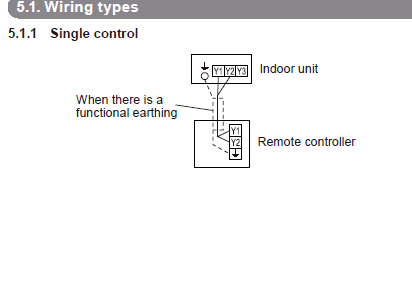
- Tipus de 2 fils (L’alimentació va junt amb el canal d’informació??)

Wifi: AIDOO La instal·lació és molt senzilla ja que només cal connectar un connector blanc des de l’aidoo a la màquina i llest, I a partir d’aquí es configura súper senzill amb l’app d’aidoo per Bluetooth, i després ja la rematada la seva tens alexa és descarregar l’APP i poder manejar-lo amb la veu..