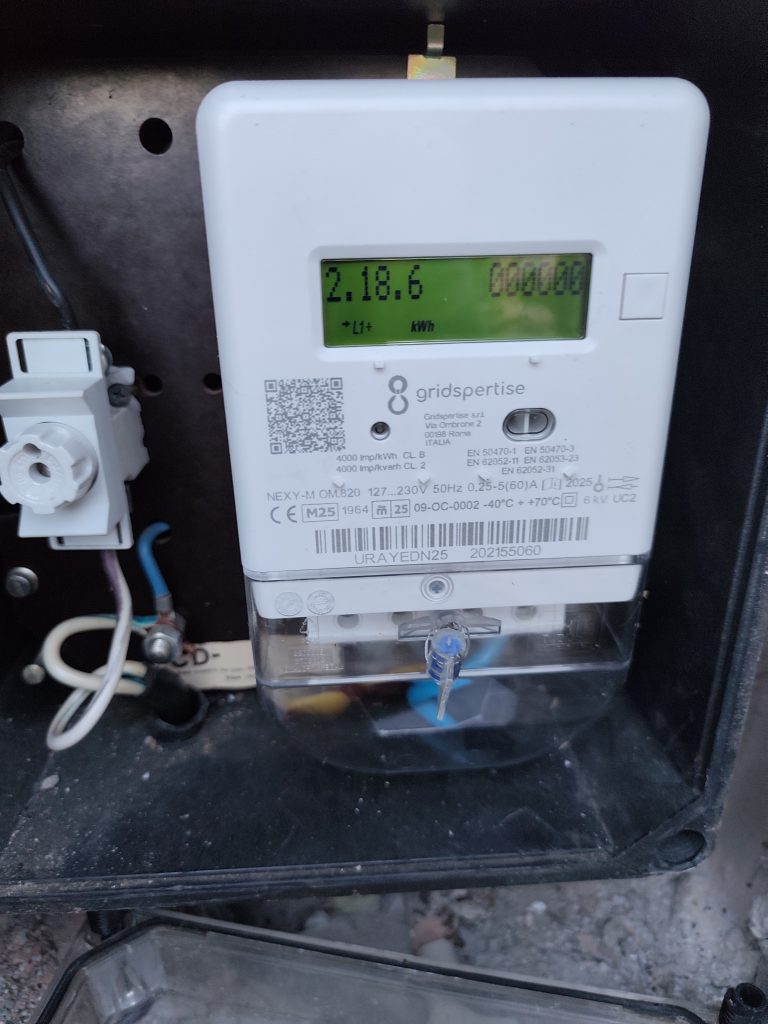
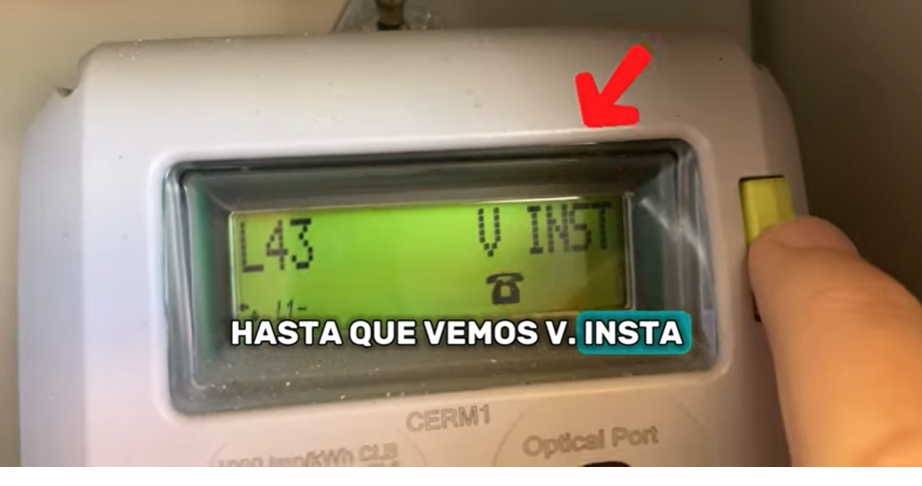
modo lectura/INFO/ V INSTA/0.317.0/PULSACIÓ CURTA-> 0.82 Kw
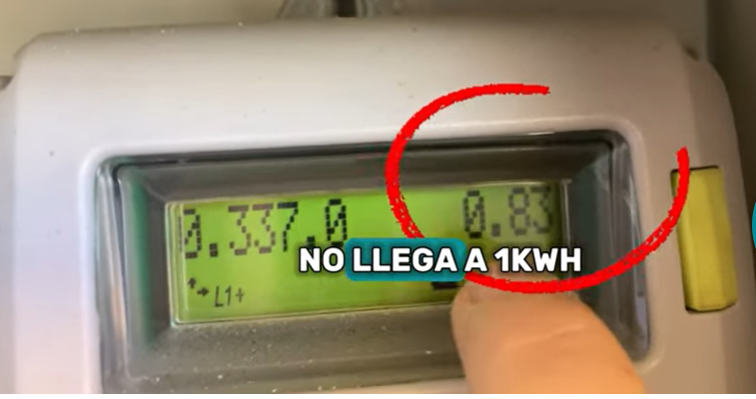

modo lectura/INFO/ V INSTA/0.317.0/PULSACIÓ CURTA-> 0.82 Kw
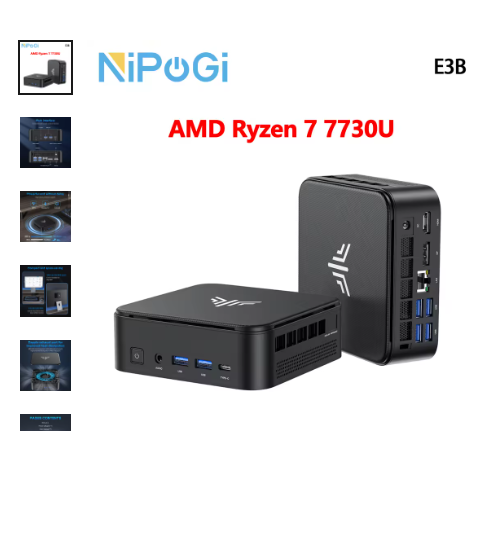
Diseño Compacto
El diseño compacto de este Mini PC lo hace ideal para entornos con espacio limitado.
Conectividad Avanzada
Cuenta con USB Tipo-C, lo que proporciona una transferencia de datos rápida y opciones de conectividad versátiles.
Procesamiento Potente
Equipado con AMD Ryzen 7 7730U, este Mini PC ofrece un rendimiento robusto para una multitarea y juegos fluidos.
Amplio Almacenamiento
Con un SSD M.2 de 512 GB, el dispositivo garantiza un acceso rápido a los datos y un amplio almacenamiento para tus archivos y juegos.
Soporte para pantallas de alta resolución
Admite triple pantalla 4K, lo que lo hace perfecto para profesionales y jugadores que exigen claridad visual.
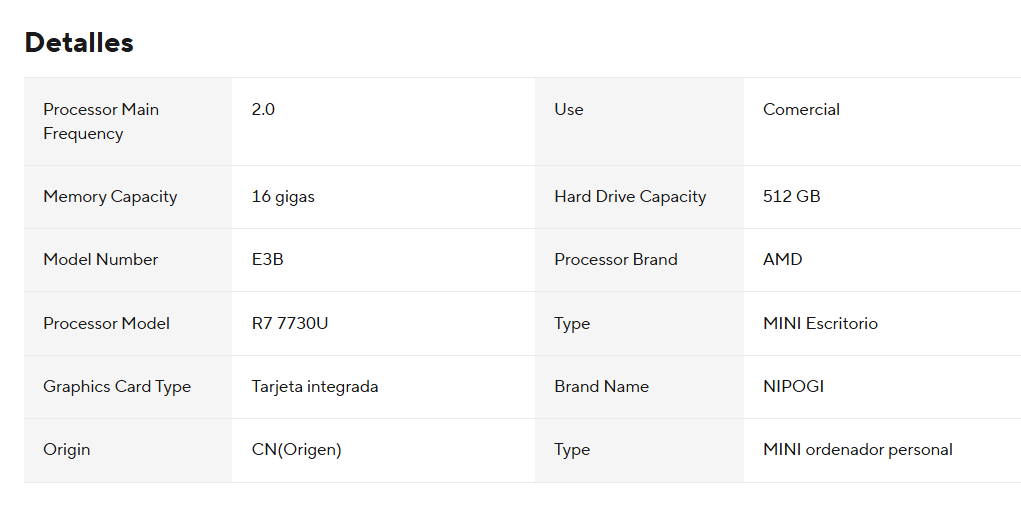
L’i9 va resultar un engany tenda poc confiable
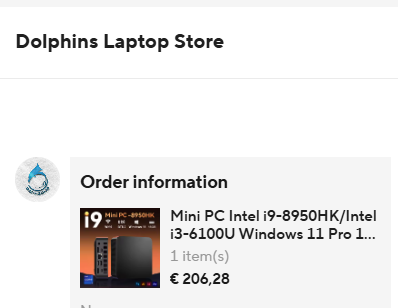
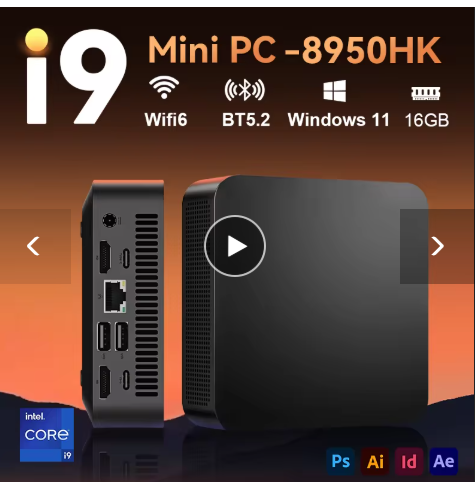
Realment he rebut: Intel i3 venedor de poca confiança
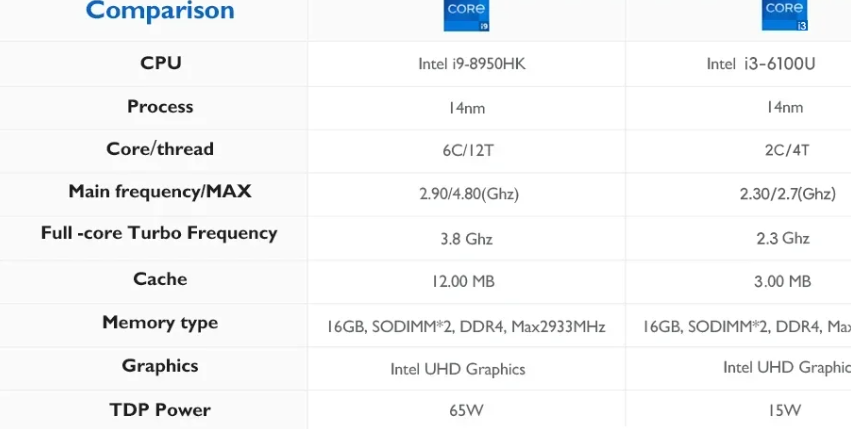
l’altre:
| Processor Main Frequency | 2.0 | use | Use Comercial | ||
| Memory Capacity | 16 gigas | Hard Drive Capacity | 512 GB | ||
| Model Number | E3B | Processor Brand | AMD | ||
| Processor Model | R7 7730UT | Type | MINI Escritorio | ||
| Graphics Card Type | Tarjeta integrada de | Name | NIPOGI | ||
| Origin | CN(Origen) | Tipe | MINI ordenador personal |
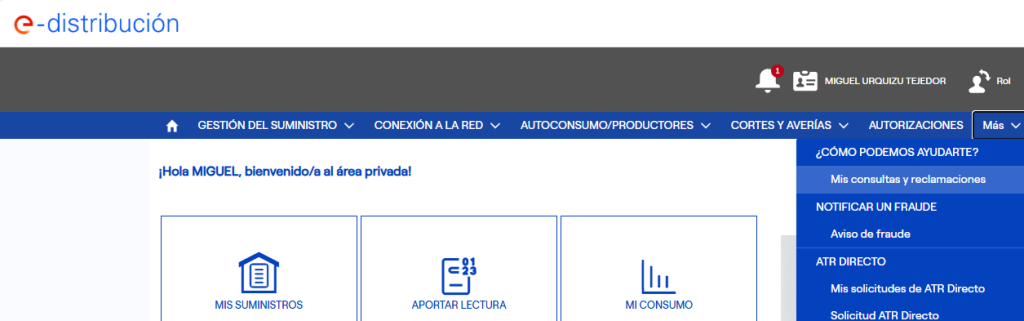
Mis consultas i reclamaciones
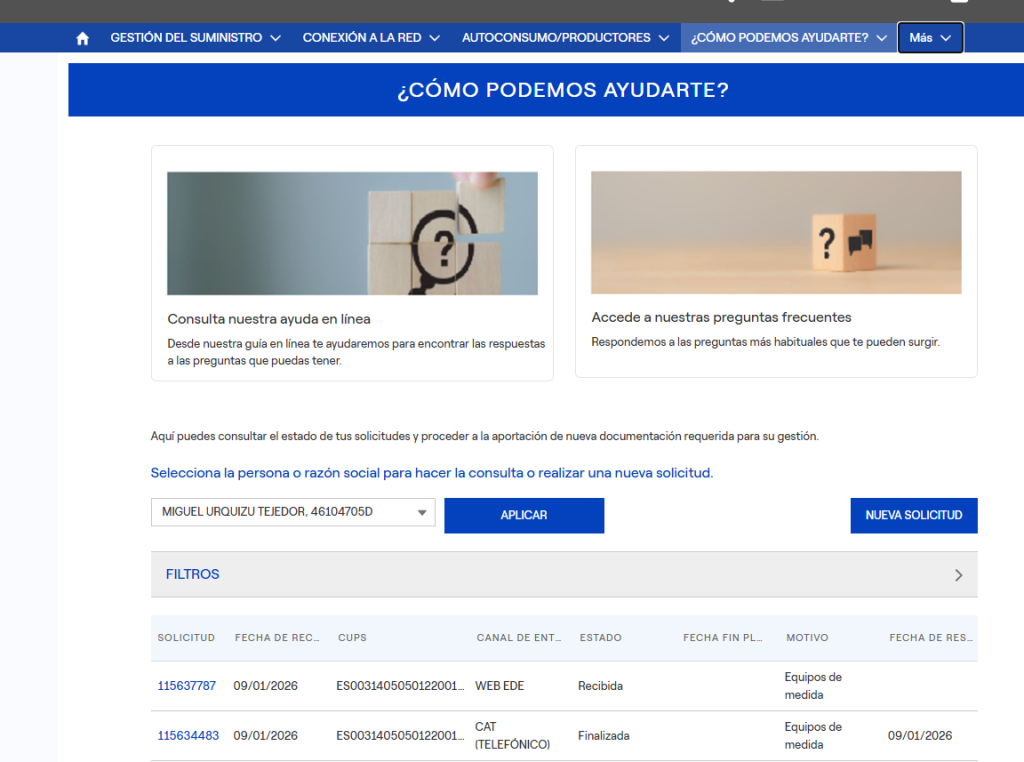
SQL llest per a phpMyAdmin amb 33 entrades del teu porta-retalls (estructura exacta de la teva taula preposition). Es pot executar a la pestanya SQL de phpMyAdmin:
INSERT INTO `preposition` (
  `id`, `catala`, `pron`, `tipus`, `c_a_t`, `qualificador`,
  `castella`, `ajuda`, `data_creacio`, `data_modif`,
  `found`, `num_alea`, `encert`, `nota`, `estrelles`, `aux`
) VALUES
(NULL, 'at > We’ll meet ___ 7:30 PM tomorrow.', NULL, NULL, NULL, NULL, '', NULL, current_timestamp(), '0000-00-00 00:00:00.000000', '0', '0', '0', NULL, NULL, NULL),
(NULL, 'in, in > She was born ___ 1995 ___ Madrid.', NULL, NULL, NULL, NULL, '', NULL, current_timestamp(), '0000-00-00 00:00:00.000000', '0', '0', '0', NULL, NULL, NULL),
(NULL, 'on > The keys are ___ the kitchen counter.', NULL, NULL, NULL, NULL, '', NULL, current_timestamp(), '0000-00-00 00:00:00.000000', '0', '0', '0', NULL, NULL, NULL),
(NULL, 'on > I’ll see you ___ Saturday morning.', NULL, NULL, NULL, NULL, '', NULL, current_timestamp(), '0000-00-00 00:00:00.000000', '0', '0', '0', NULL, NULL, NULL),
(NULL, 'on > They got married ___ Valentine’s Day.', NULL, NULL, NULL, NULL, '', NULL, current_timestamp(), '0000-00-00 00:00:00.000000', '0', '0', '0', NULL, NULL, NULL),
(NULL, 'on > There’s a stain ___ my shirt.', NULL, NULL, NULL, NULL, '', NULL, current_timestamp(), '0000-00-00 00:00:00.000000', '0', '0', '0', NULL, NULL, NULL),
(NULL, 'at > We always eat dinner ___ sunset.', NULL, NULL, NULL, NULL, '', NULL, current_timestamp(), '0000-00-00 00:00:00.000000', '0', '0', '0', NULL, NULL, NULL),
(NULL, 'at > He lives ___ 45 Oxford Street.', NULL, NULL, NULL, NULL, '', NULL, current_timestamp(), '0000-00-00 00:00:00.000000', '0', '0', '0', NULL, NULL, NULL),
(NULL, 'at > Don’t go out ___ midnight!', NULL, NULL, NULL, NULL, '', NULL, current_timestamp(), '0000-00-00 00:00:00.000000', '0', '0', '0', NULL, NULL, NULL),
(NULL, 'on > The museum is closed ___ Mondays.', NULL, NULL, NULL, NULL, '', NULL, current_timestamp(), '0000-00-00 00:00:00.000000', '0', '0', '0', NULL, NULL, NULL),
(NULL, 'at, at > She’s good ___ math but bad ___ drawing.', NULL, NULL, NULL, NULL, '', NULL, current_timestamp(), '0000-00-00 00:00:00.000000', '0', '0', '0', NULL, NULL, NULL),
(NULL, 'in > We’re going skiing ___ December.', NULL, NULL, NULL, NULL, '', NULL, current_timestamp(), '0000-00-00 00:00:00.000000', '0', '0', '0', NULL, NULL, NULL),
(NULL, 'on > There’s a poster hanging ___ the wall.', NULL, NULL, NULL, NULL, '', NULL, current_timestamp(), '0000-00-00 00:00:00.000000', '0', '0', '0', NULL, NULL, NULL),
(NULL, 'on > I’ll finish this report ___ time for the meeting.', NULL, NULL, NULL, NULL, '', NULL, current_timestamp(), '0000-00-00 00:00:00.000000', '0', '0', '0', NULL, NULL, NULL),
(NULL, 'on > The concert is ___ Friday night.', NULL, NULL, NULL, NULL, '', NULL, current_timestamp(), '0000-00-00 00:00:00.000000', '0', '0', '0', NULL, NULL, NULL),
(NULL, 'in > My birthday is ___ July.', NULL, NULL, NULL, NULL, '', NULL, current_timestamp(), '0000-00-00 00:00:00.000000', '0', '0', '0', NULL, NULL, NULL),
(NULL, 'at > She’s waiting ___ the bus stop.', NULL, NULL, NULL, NULL, '', NULL, current_timestamp(), '0000-00-00 00:00:00.000000', '0', '0', '0', NULL, NULL, NULL),
(NULL, 'on > The cat is sleeping ___ the sofa.', NULL, NULL, NULL, NULL, '', NULL, current_timestamp(), '0000-00-00 00:00:00.000000', '0', '0', '0', NULL, NULL, NULL),
(NULL, 'in > He usually studies ___ the evening.', NULL, NULL, NULL, NULL, '', NULL, current_timestamp(), '0000-00-00 00:00:00.000000', '0', '0', '0', NULL, NULL, NULL),
(NULL, 'at > The train arrives ___ 6:15 sharp.', NULL, NULL, NULL, NULL, '', NULL, current_timestamp(), '0000-00-00 00:00:00.000000', '0', '0', '0', NULL, NULL, NULL),
(NULL, 'on > There’s a crack ___ the ceiling.', NULL, NULL, NULL, NULL, '', NULL, current_timestamp(), '0000-00-00 00:00:00.000000', '0', '0', '0', NULL, NULL, NULL),
(NULL, 'in > They moved to London ___ 2018.', NULL, NULL, NULL, NULL, '', NULL, current_timestamp(), '0000-00-00 00:00:00.000000', '0', '0', '0', NULL, NULL, NULL),
(NULL, 'at > I’ll see you ___ the airport.', NULL, NULL, NULL, NULL, '', NULL, current_timestamp(), '0000-00-00 00:00:00.000000', '0', '0', '0', NULL, NULL, NULL),
(NULL, 'on > The meeting is ___ the first floor.', NULL, NULL, NULL, NULL, '', NULL, current_timestamp(), '0000-00-00 00:00:00.000000', '0', '0', '0', NULL, NULL, NULL),
(NULL, 'at > Someone is knocking ___ the door.', NULL, NULL, NULL, NULL, '', NULL, current_timestamp(), '0000-00-00 00:00:00.000000', '0', '0', '0', NULL, NULL, NULL),
(NULL, 'on > She wrote her name ___ the envelope.', NULL, NULL, NULL, NULL, '', NULL, current_timestamp(), '0000-00-00 00:00:00.000000', '0', '0', '0', NULL, NULL, NULL),
(NULL, 'in > The children are playing ___ the garden.', NULL, NULL, NULL, NULL, '', NULL, current_timestamp(), '0000-00-00 00:00:00.000000', '0', '0', '0', NULL, NULL, NULL),
(NULL, 'at > He’s really good ___ chess.', NULL, NULL, NULL, NULL, '', NULL, current_timestamp(), '0000-00-00 00:00:00.000000', '0', '0', '0', NULL, NULL, NULL),
(NULL, 'on > The movie will be released ___ Christmas Day.', NULL, NULL, NULL, NULL, '', NULL, current_timestamp(), '0000-00-00 00:00:00.000000', '0', '0', '0', NULL, NULL, NULL),
(NULL, 'in > I left my glasses ___ my backpack.', NULL, NULL, NULL, NULL, '', NULL, current_timestamp(), '0000-00-00 00:00:00.000000', '0', '0', '0', NULL, NULL, NULL),
(NULL, 'at > They arrived ___ the same time.', NULL, NULL, NULL, NULL, '', NULL, current_timestamp(), '0000-00-00 00:00:00.000000', '0', '0', '0', NULL, NULL, NULL),
(NULL, 'on > The picture is hanging ___ the fridge.', NULL, NULL, NULL, NULL, '', NULL, current_timestamp(), '0000-00-00 00:00:00.000000', '0', '0', '0', NULL, NULL, NULL),
(NULL, 'in > She’ll be ready ___ a moment.', NULL, NULL, NULL, NULL, '', NULL, current_timestamp(), '0000-00-00 00:00:00.000000', '0', '0', '0', NULL, NULL, NULL);
En un reactor nuclear de sal fosa (del tipus MSR, Molten Salt Reactor), si es fa servir tori (Th) com a combustible nuclear, no és el tori en si mateix el que sofreix fissió, sinó un isòtop derivat: urani-233 ((^{233}\text{U})), que es produeix a partir del tori-232 ((^{232}\text{Th})) mitjançant transmutació. A continuació et detallo les reaccions nuclears principals que es produeixen:
El tori-232, que és fèrtil (no fissil), absorbeix un neutró tèrmic i es converteix en tori-233:
[
^{232}\text{Th} + n \rightarrow ^{233}\text{Th}
]
El (^{233}\text{Th}) és inestable i es desintegra mitjançant emissió beta ((\beta^-)) a protactini-233 amb una semivida d’aproximadament 22 minuts:
[
^{233}\text{Th} \xrightarrow{\beta^-} ^{233}\text{Pa} \quad (t_{1/2} \approx 22\ \text{min})
]
El (^{233}\text{Pa}) també és radioactiu i es desintegra a urani-233 ((^{233}\text{U})) amb una semivida d’uns 27 dies:
[
^{233}\text{Pa} \xrightarrow{\beta^-} ^{233}\text{U} \quad (t_{1/2} \approx 27\ \text{dies})
]
L’(^{233}\text{U}) és fissil i, quan absorbeix un neutró (especialment tèrmic), pot fissionar-se, alliberant:
Exemple simplificat de fissió:
[
^{233}\text{U} + n \rightarrow \text{productes de fissió} + 2\text{–}3\,n + \text{energia}
]
Els neutrons alliberats poden:
[
^{232}\text{Th} \xrightarrow{(n,\gamma)} ^{233}\text{Th} \xrightarrow{\beta^-} ^{233}\text{Pa} \xrightarrow{\beta^-} ^{233}\text{U} \xrightarrow{\text{fissió}} \text{energia + neutrons}
]
Si tens interès en aspectes químics de les sals (com la corrosió, estabilitat dels fluorurs, etc.) o en el tractament de residus, també puc ampliar la informació.
Els reactors nuclears de sals foses (MSR) tenen diversos avantatges respecte als reactors convencionals d’urani (com els d’aigua lleugera). Els principals són:
Si vols, puc fer una taula comparativa, explicar-ho de manera més divulgativa, o enfocar-ho des del punt de vista del tori vs urani.
APPS
Google TV (basat en Android TV) té accés a una gran part de l’ecosistema d’aplicacions d’Android, però no totes les aplicacions de Google Play Store són compatibles amb Google TV. La compatibilitat depèn de diversos factors:
Tot i que no existeix un llistat oficial complet i dinàmic mantingut per Google (la botiga es filtra dinàmicament segons el dispositiu), sí que es poden identificar categories i exemples comuns:
Si tens un tipus concret d’aplicació en ment (per exemple, “vull saber si hi ha apps de diccionari o TTS per a Google TV”), puc fer una cerca més específica.
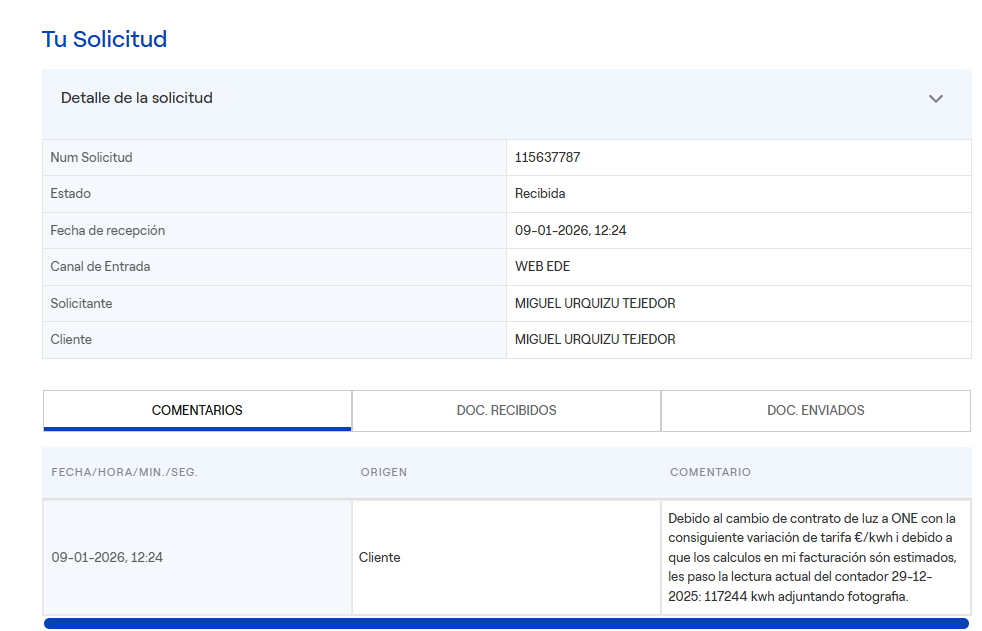
Les fotos que es fan o es reben al mòbil pujant a l’espai personal’. La resta van a l’Espai compartit.
<?php

// ? ? ? CANVI 1: Mapeig de codis curts ('cat', 'eng', etc.) a codis d'idioma vàlids
session_start();

// Mapeig de codis curts a codis d'idioma vàlids per a l'àudio
// Mapeig de codis curts a codis d'idioma vàlids per a l'àudio
$langMap = [
    'cat' => 'ca-ES', // Català (Espanya)
    'eus' => 'eu-ES', // Euskera / Basc (Espanya)
    'cas' => 'es-ES', // Castellà / Espanyol (Espanya)
    'eng' => 'en-US', // Anglès (Estats Units)
    'fra' => 'fr-FR', // Francès (França)
    'ger' => 'de-DE', // Alemany (Alemanya)
    'por' => 'pt-PT', // Portuguès (Portugal)
    'ita' => 'it-IT'  // Italià (Itàlia)
];

// Comprovem si $_SESSION['lang'] està definit i és vàlid
$shortLang = $_SESSION['lang'] ; // Assigna 'cat' si $_SESSION['lang'] no està definit

// Assignem el codi d'àudio corresponent
$_SESSION['lang_audio'] = $langMap[$shortLang] ?? 'es-ES'; // Assegura que sigui 'ca-ES' si el codi no es troba al mapeig

// Mostrem el resultat
//echo "<br>SESSION['lang_audio']: " . $_SESSION['lang_audio'];

// ? ? ? fi CANVI
?>
<?php
//echo $_SESSION['resposta']; //prova per veure que entra bé
   // exit ('31');
?>
 <form id="cercaForm" method="POST" action="BD_conexions/conexio_diccionari_bd.php">

             <div class="search-container">
                <!-- Camp de cerca -->
                <input
            type="text"
            id="cercar"
            name="cercar"
            onkeyup=""
            placeholder="cercar.."
            autofocus
            value="<?php echo isset($_SESSION['cercar']) ? htmlspecialchars($_SESSION['cercar'],
                    ENT_QUOTES, 'UTF-8') : ''; ?>"
                    >
                <!-- Botó de cerca -->
                <button type="submit">Cercar/Confirmar</button>
                <button id="speakButton" title="Llegir en veu alta">
                <span>?</span>
                </button>
            </div>
    <div>

    <p>
    <input type="button" value="<?php echo '-num-'.  $_SESSION['num'].'--'; ?>" style="display:none;">
    <input type="button" value="<?php echo '-id-'.  $_SESSION['id'].'--'; ?>" style="display:none;">
    <input type="button" value="<?php echo '-retorn-'. $_SESSION['nom'].'--'; ?>" style="display:none;">
    <input type="button" value="<?php echo '--'.  $_SESSION['lang_r'].'--'; ?>" style="display:none;">
    <input type="button" value="<?php echo '-1-'. $_SESSION['diccionari'].'--'; ?>" style="display:none;">
    <input type="button" value="<?php echo '-2-'. $_SESSION['diccionari_r'].'--'; ?>" style="display:none;">
    <input type="button" value="<?php echo '-3-'. $_SESSION['dic'].'--'; ?>" style="display:none;">
    <input type="button" value="<?php echo '--'. $_SESSION['bd']; ?>" style="display:none;">
    <input type="button" value="<?php echo '--'. $_SESSION['bd_r']; ?>" style="display:none;">
    <input
        type="text"
        id="dicionari_A"
        name="dicionari_AJ"
        onkeyup=""
        placeholder=<?php echo htmlspecialchars($_SESSION['diccionari']); ?>
        autofocus
        data-diccionari=<?php echo htmlspecialchars($_SESSION['diccionari']); ?>
        style="display:none;">
</p>
<script>
        // Capturar elements del DOM
        const entrada = document.getElementById('cercar'); // Primer camp de text
        const boto = document.getElementById('boto');       // Botó
        const sortida = document.getElementById('replicar'); // Segon camp de text

        // Afegir un event listener al botó
        boto.addEventListener('click', function() {
            // Obtenir el valor de la primera entrada
            const text = entrada.value;

            // Assignar el valor a la segona entrada
            sortida.value = text;
        });

    </script>


<script>

  document.addEventListener('DOMContentLoaded', () => {
    const inputElement = document.getElementById('cercar');
    const speakBtn = document.getElementById('speakButton');
    let voices = [];

    // ? Carreguem l'idioma des de PHP
    const userLang = '<?php echo addslashes($_SESSION["lang_audio"]); ?>';

    function loadVoices() {
      voices = speechSynthesis.getVoices();
    }

    speechSynthesis.onvoiceschanged = loadVoices;
    loadVoices();

    function speakText() {
      const text = inputElement.value.trim();
      if (!text) return;

      const utterance = new SpeechSynthesisUtterance(text);

      // ? Busquem una veu que suporti l'idioma de la sessió (ex: 'ca-ES')
      let selectedVoice = voices.find(v => v.lang === userLang);

      // Si no n'hi ha d'exacta, provem amb el codi base (ex: 'ca')
      if (!selectedVoice) {
        const baseLang = userLang.split('-')[0];
        selectedVoice = voices.find(v => v.lang.startsWith(baseLang));
      }

      // Assignem la veu trobada (o només l'idioma si no hi ha veu específica)
      if (selectedVoice) {
        utterance.voice = selectedVoice;
        utterance.lang = selectedVoice.lang;
      } else {
        utterance.lang = userLang; // el navegador triarà una veu
      }

      utterance.rate = 1;
      utterance.pitch = 1;

      speechSynthesis.cancel();
      speechSynthesis.speak(utterance);
    }

    speakBtn.addEventListener('click', (e) => {
      e.preventDefault();
      speakText();
    });
  });

</script>


    </div>
             <!-- Contenidor de l'autocompletat -->
             <div id="resultats_autocompletar_container">
                <ul id="resultats_autocompletar">
                    <!-- Resultats dinàmics via JavaScript -->
                </ul>
            </div>


        </form>
<!DOCTYPE html>
<html lang="ca">
<head>
  <meta charset="UTF-8">
  <title>Conversor de text a veu</title>
  <style>
    body {
      font-family: sans-serif;
      padding: 2em;
      background-color: #f4f4f4;
    }
    input {
      font-size: 1.2em;
      padding: 0.5em;
      margin-top: 1em;
      width: 100%;
      max-width: 500px;
    }
    #speakBtn {
      font-size: 2em;
      background: none;
      border: none;
      cursor: pointer;
      margin-top: 1em;
    }
    #speakBtn:hover {
      color: #0078D7;
    }
  </style>
</head>
<body>
  <h2>Conversor de text a veu</h2>
  <input type="text" id="cercar" placeholder="Escriu el text que vols escoltar">
  <button id="speakBtn" title="Escolta el text"></button>

  <script>
    document.addEventListener('DOMContentLoaded', () => {
      const inputElement = document.getElementById('cercar');
      const speakBtn = document.getElementById('speakBtn');
      let voices = [];

      function loadVoices() {
        voices = speechSynthesis.getVoices();
      }

      speechSynthesis.onvoiceschanged = loadVoices;
      loadVoices();

      function speakText() {
        const text = inputElement.value.trim();
        if (!text) return;

        const utterance = new SpeechSynthesisUtterance(text);
        const zira = voices.find(v => v.name === 'Microsoft Zira - English (United States)');

        if (zira) {
          utterance.voice = zira;
          utterance.lang = zira.lang;
        }

        utterance.rate = 1;
        utterance.pitch = 1;

        speechSynthesis.cancel();
        speechSynthesis.speak(utterance);
      }

      speakBtn.addEventListener('click', speakText);

      // Repetir cada 10 segons
      setInterval(speakText, 10000);
    });
  </script>
</body>
</html>
```html
<!DOCTYPE html>
<html lang="ca">
<head>
  <meta charset="UTF-8">
  <title>Conversor de text a veu</title>

  <style>
    body {
      font-family: sans-serif;
      padding: 2em;
      background-color: #f4f4f4;
    }

    input {
      font-size: 1.2em;
      padding: 0.5em;
      margin-top: 1em;
      width: 100%;
      max-width: 500px;
      box-sizing: border-box;
    }

    select {
      font-size: 1.1em;
      padding: 0.5em;
      margin-top: 1em;
      width: 100%;
      max-width: 500px;
    }

    #languageInfo {
      margin-top: 1em;
      padding: 0.7em;
      background: white;
      border: 1px solid #ccc;
      border-radius: 6px;
      max-width: 500px;
    }

    #speakBtn {
      font-size: 2em;
      background: none;
      border: none;
      cursor: pointer;
      margin-top: 1em;
    }

    #speakBtn:hover {
      color: #0078D7;
    }

    #status {
      margin-top: 0.8em;
      font-size: 0.95em;
      color: #555;
    }
  </style>
</head>

<body>

  <h2>Conversor de text a veu</h2>

  <input
    type="text"
    id="cercar"
    placeholder="Escriu el text que vols escoltar"
  >

  <br>

  <select id="voiceSelect">
    <option value="">Carregant veus...</option>
  </select>

  <div id="languageInfo">
    <strong>Llengua carregada:</strong>
    <span id="currentLanguage">--</span>
  </div>

  <div id="status"></div>

  <button id="speakBtn" title="Escolta el text">🔊</button>


  <script>

    document.addEventListener('DOMContentLoaded', () => {

      const inputElement = document.getElementById('cercar');
      const speakBtn = document.getElementById('speakBtn');
      const voiceSelect = document.getElementById('voiceSelect');
      const currentLanguage = document.getElementById('currentLanguage');
      const status = document.getElementById('status');

      let voices = [];


      /*
       * Carrega totes les veus que Firefox posa a disposició
       */
      function loadVoices() {

        voices = speechSynthesis.getVoices();

        console.log("Veus disponibles:", voices);

        voiceSelect.innerHTML = '';

        if (voices.length === 0) {

          const option = document.createElement('option');
          option.textContent = 'No s’han trobat veus';
          voiceSelect.appendChild(option);

          currentLanguage.textContent = 'Cap veu disponible';

          return;
        }


        /*
         * Ordenem per llengua i després per nom
         */
        voices.sort((a, b) => {

          if (a.lang !== b.lang) {
            return a.lang.localeCompare(b.lang);
          }

          return a.name.localeCompare(b.name);

        });


        /*
         * Afegim totes les veus al desplegable
         */
        voices.forEach((voice, index) => {

          const option = document.createElement('option');

          option.value = index;

          option.textContent =
            `${voice.lang} — ${voice.name}`;

          voiceSelect.appendChild(option);

        });


        /*
         * Busquem primer una veu catalana
         *
         * ca
         * ca-ES
         * ca-ES-...
         */
        let catalanIndex = voices.findIndex(voice =>
          voice.lang.toLowerCase() === 'ca' ||
          voice.lang.toLowerCase().startsWith('ca-')
        );


        /*
         * Si existeix català, el seleccionem
         */
        if (catalanIndex !== -1) {

          voiceSelect.value = catalanIndex;

          updateLanguage(catalanIndex);

          status.textContent =
            '✓ S’ha detectat una veu catalana.';

        } else {

          /*
           * Si no hi ha català, agafem la primera veu
           */
          voiceSelect.value = 0;

          updateLanguage(0);

          status.textContent =
            '⚠ Firefox no ha detectat cap veu catalana.';

        }

      }


      /*
       * Actualitza el botó/informació de llengua
       */
      function updateLanguage(index) {

        const voice = voices[index];

        if (!voice) {
          currentLanguage.textContent = '--';
          return;
        }

        currentLanguage.textContent =
          `${voice.lang} — ${voice.name}`;

      }


      /*
       * Quan l'usuari canvia la veu
       */
      voiceSelect.addEventListener('change', () => {

        updateLanguage(voiceSelect.value);

      });


      /*
       * Parla el text
       */
      function speakText() {

        const text = inputElement.value.trim();

        if (!text) return;

        const selectedIndex = parseInt(voiceSelect.value);

        const voice = voices[selectedIndex];

        if (!voice) {

          status.textContent =
            'No hi ha cap veu seleccionada.';

          return;

        }


        const utterance =
          new SpeechSynthesisUtterance(text);


        /*
         * Utilitzem EXACTAMENT la veu seleccionada
         */
        utterance.voice = voice;

        utterance.lang = voice.lang;

        utterance.rate = 1;

        utterance.pitch = 1;


        speechSynthesis.cancel();

        speechSynthesis.speak(utterance);


        /*
         * Mostrem què està parlant realment
         */
        currentLanguage.textContent =
          `${voice.lang} — ${voice.name}`;

      }


      /*
       * Botó de reproducció
       */
      speakBtn.addEventListener('click', speakText);


      /*
       * Les veus poden arribar de manera asíncrona
       * a Firefox.
       */
      speechSynthesis.onvoiceschanged = loadVoices;

      loadVoices();


      /*
       * Repetir cada 10 segons
       */
      setInterval(speakText, 10000);

    });

  </script>

</body>
</html>
```
Sí. El problema principal del teu codi és que forces Microsoft Zira en anglès, així que Firefox no té cap possibilitat d’escollir català.
Et proposo aquesta versió:
ca) està disponible;<!DOCTYPE html>
<html lang="ca">
<head>
<meta charset="UTF-8">
<title>Conversor de text a veu</title>
<style>
body {
font-family: sans-serif;
padding: 2em;
background-color: #f4f4f4;
}
input {
font-size: 1.2em;
padding: 0.5em;
margin-top: 1em;
width: 100%;
max-width: 500px;
box-sizing: border-box;
}
select {
font-size: 1.1em;
padding: 0.5em;
margin-top: 1em;
width: 100%;
max-width: 500px;
}
#languageInfo {
margin-top: 1em;
padding: 0.7em;
background: white;
border: 1px solid #ccc;
border-radius: 6px;
max-width: 500px;
}
#speakBtn {
font-size: 2em;
background: none;
border: none;
cursor: pointer;
margin-top: 1em;
}
#speakBtn:hover {
color: #0078D7;
}
#status {
margin-top: 0.8em;
font-size: 0.95em;
color: #555;
}
</style>
</head>
<body>
<h2>Conversor de text a veu</h2>
<input
type="text"
id="cercar"
placeholder="Escriu el text que vols escoltar"
>
<br>
<select id="voiceSelect">
<option value="">Carregant veus...</option>
</select>
<div id="languageInfo">
<strong>Llengua carregada:</strong>
<span id="currentLanguage">--</span>
</div>
<div id="status"></div>
<button id="speakBtn" title="Escolta el text">🔊</button>
<script>
document.addEventListener('DOMContentLoaded', () => {
const inputElement = document.getElementById('cercar');
const speakBtn = document.getElementById('speakBtn');
const voiceSelect = document.getElementById('voiceSelect');
const currentLanguage = document.getElementById('currentLanguage');
const status = document.getElementById('status');
let voices = [];
/*
* Carrega totes les veus que Firefox posa a disposició
*/
function loadVoices() {
voices = speechSynthesis.getVoices();
console.log("Veus disponibles:", voices);
voiceSelect.innerHTML = '';
if (voices.length === 0) {
const option = document.createElement('option');
option.textContent = 'No s’han trobat veus';
voiceSelect.appendChild(option);
currentLanguage.textContent = 'Cap veu disponible';
return;
}
/*
* Ordenem per llengua i després per nom
*/
voices.sort((a, b) => {
if (a.lang !== b.lang) {
return a.lang.localeCompare(b.lang);
}
return a.name.localeCompare(b.name);
});
/*
* Afegim totes les veus al desplegable
*/
voices.forEach((voice, index) => {
const option = document.createElement('option');
option.value = index;
option.textContent =
`${voice.lang} — ${voice.name}`;
voiceSelect.appendChild(option);
});
/*
* Busquem primer una veu catalana
*
* ca
* ca-ES
* ca-ES-...
*/
let catalanIndex = voices.findIndex(voice =>
voice.lang.toLowerCase() === 'ca' ||
voice.lang.toLowerCase().startsWith('ca-')
);
/*
* Si existeix català, el seleccionem
*/
if (catalanIndex !== -1) {
voiceSelect.value = catalanIndex;
updateLanguage(catalanIndex);
status.textContent =
'✓ S’ha detectat una veu catalana.';
} else {
/*
* Si no hi ha català, agafem la primera veu
*/
voiceSelect.value = 0;
updateLanguage(0);
status.textContent =
'⚠ Firefox no ha detectat cap veu catalana.';
}
}
/*
* Actualitza el botó/informació de llengua
*/
function updateLanguage(index) {
const voice = voices[index];
if (!voice) {
currentLanguage.textContent = '--';
return;
}
currentLanguage.textContent =
`${voice.lang} — ${voice.name}`;
}
/*
* Quan l'usuari canvia la veu
*/
voiceSelect.addEventListener('change', () => {
updateLanguage(voiceSelect.value);
});
/*
* Parla el text
*/
function speakText() {
const text = inputElement.value.trim();
if (!text) return;
const selectedIndex = parseInt(voiceSelect.value);
const voice = voices[selectedIndex];
if (!voice) {
status.textContent =
'No hi ha cap veu seleccionada.';
return;
}
const utterance =
new SpeechSynthesisUtterance(text);
/*
* Utilitzem EXACTAMENT la veu seleccionada
*/
utterance.voice = voice;
utterance.lang = voice.lang;
utterance.rate = 1;
utterance.pitch = 1;
speechSynthesis.cancel();
speechSynthesis.speak(utterance);
/*
* Mostrem què està parlant realment
*/
currentLanguage.textContent =
`${voice.lang} — ${voice.name}`;
}
/*
* Botó de reproducció
*/
speakBtn.addEventListener('click', speakText);
/*
* Les veus poden arribar de manera asíncrona
* a Firefox.
*/
speechSynthesis.onvoiceschanged = loadVoices;
loadVoices();
/*
* Repetir cada 10 segons
*/
setInterval(speakText, 10000);
});
</script>
</body>
</html>
El desplegable et mostrarà coses semblants a:
ca-ES — Veu catalana
de-DE — German ...
en-US — Microsoft Zira ...
en-US — ...
es-ES — Spanish ...
fr-FR — French ...
I a sota:
Llengua carregada: ca-ES — NOM_DE_LA_VEU
Això és especialment útil per al que estem investigant amb Firefox + Speech Dispatcher + Piper/Ona, perquè podrem veure si Firefox realment rep una veu catalana o simplement no la té disponible.
Una cosa important: que Linux tingui una veu catalana instal·lada no vol dir necessàriament que Firefox la vegi a speechSynthesis.getVoices(). Aquest és precisament el test que faria amb aquesta pàgina.
Si vols, el següent pas pot ser fer que el desplegable mostri només les llengües (Català, Espanyol, Anglès, etc.) i, en seleccionar-ne una, triï automàticament la millor veu disponible.
Sí. Ona és un model de veu que es guarda com a fitxers, principalment:
ca_ES-upc_ona-medium.onnx
ca_ES-upc_ona-medium.onnx.json
El .onnx és el model neuronal de la veu i el .json conté la configuració/metadades necessàries. Piper funciona precisament amb aquesta parella de fitxers. (GitHub)
I sí, hi ha veus Piper per a molts idiomes. El repositori oficial de veus actual indica 35 idiomes, i inclou català, castellà, anglès, francès, alemany, italià, portuguès, neerlandès, rus, xinès, japonès? etc.; però no tots els idiomes del món tenen una veu Piper disponible. (Hugging Face)
Per exemple, actualment tenim:
| Llengua | Veus Piper |
|---|---|
| 🇨🇦 Català | upc_ona, upc_pau |
| 🇪🇸 Castellà | carlfm, davefx, mls, sharvard… |
| 🇬🇧 Anglès UK | alan, alba, cori… |
| 🇺🇸 Anglès US | amy, lessac, ryan, sam… |
| 🇫🇷 Francès | gilles, siwis, tom, upmc… |
| 🇩🇪 Alemany | thorsten, karlsson, ramona… |
| 🇮🇹 Italià | paola, riccardo |
| 🇵🇹 Portuguès | tugão, cadu, edresson… |
| 🇳🇱 Neerlandès | diverses |
| 🇷🇺 Rus | denis, dmitri, irina, ruslan |
| 🇨🇳 Xinès | huayan |
La llista oficial mostra que Català (ca_ES) està molt ben representat, amb upc_ona i upc_pau. (GitHub)
Podríem tenir, per exemple:
/volume2/web/00-sapi_tts/
       │
       ├── voices/
       │     ├── ca_ES-upc_ona-medium.onnx
       │     ├── ca_ES-upc_ona-medium.onnx.json
       │     ├── es_ES-davefx-medium.onnx
       │     ├── es_ES-davefx-medium.onnx.json
       │     ├── en_US-ryan-medium.onnx
       │     ├── en_US-ryan-medium.onnx.json
       │     └── ...
       │
       └── servidor TTS
I el nostre servidor podria tenir un menú:
┌─────────────────────────────┐
│ Veu:                        │
│                             │
│ ▼ Català — Ona              │
│   Català — Pau              │
│   Castellà — DaveFX         │
│   Castellà — Sharvard       │
│   English US — Ryan         │
│   English US — Amy          │
│   Français — Tom            │
│   Deutsch — Thorsten        │
└─────────────────────────────┘
Aquesta és probablement la millor arquitectura per al teu TTS de la intranet. No depenem de les veus d’Edge/Firefox ni d’Internet: els models .onnx queden al Synology i Piper el
Sí. La diferència que veus entre Windows 11 i Deepin/Linux és real, i en el teu cas explica perfectament el missatge:
⚠️ Firefox no ha detectat cap veu catalana.
A Windows, Firefox pot accedir a les veus TTS disponibles al sistema, com la que veus a la captura:
Microsoft Zira Desktop - English (United States)
Per això el teu JavaScript speechSynthesis.getVoices() rep una llista de veus i el selector les pot mostrar.
Aquí Firefox funciona d’una manera diferent. Firefox per a Linux no porta un conjunt propi de veus. La seva implementació de Web Speech synthesis utilitza Speech Dispatcher com a intermediari del sistema. Mozilla ho documenta explícitament. (Bugzilla)
El camí és aproximadament:
Firefox
   ↓
Web Speech API
   ↓
Speech Dispatcher
   ↓
mòdul TTS
   ↓
veu
I aquí apareix el problema interessant que ja estàvem treballant:
Firefox
   ↓
Speech Dispatcher
   ↓
Piper
   ↓
Ona
Aquesta arquitectura és perfectament possible, però Firefox no necessàriament veu automàticament totes les veus que tu tens instal·lades a Piper.
De fet, Mozilla té fins i tot una incidència específica sobre això: Piper està instal·lat com a mòdul de Speech Dispatcher però Firefox no incorpora les veus Piper a speechSynthesis.getVoices(). (Bugzilla)
Tu ja tens:
spd-say -Li hi apareixen centenars/milers de veus.
Això significa que:
Speech Dispatcher sí que té veus.
Però el teu navegador està dient:
Firefox → speechSynthesis.getVoices()
                         ↓
                       []
Per tant, el problema no és que Deepin no tingui veus.
És que hi ha una diferència entre:
veus disponibles per al sistemai
veus que Firefox Linux exposa a la Web Speech APIMozilla reconeix precisament aquesta fragilitat de la implementació Linux. (Bugzilla)
La nostra infraestructura:
Firefox → Speech Dispatcher → Piper → Onasí que pot funcionar per fer parlar Firefox, però hem de superar la capa de detecció de veus de speechSynthesis.
Per això jo faria ara una prova molt concreta al teu Deepin:
speechSynthesis.getVoices().map(v => ({
    name: v.name,
    lang: v.lang,
    localService: v.localService
}))
Si retorna [], ja tenim confirmat que el problema està entre Firefox i Speech Dispatcher, no entre Piper i Ona.
I això és important perquè no cal abandonar Piper/Ona ni tornar a eSpeak. Podem intentar fer que Firefox vegi explícitament la veu que ja tens funcionant.
Incidència de Mozilla sobre Piper i Web Speech API
s utilitza localment.I una cosa important: no cal instal·lar totes les veus. Podem començar amb, per exemple, Ona + una veu castellana + anglès + francès + alemany, i anar afegint-ne quan les necessitis.
Sí. La diferència que veus entre Windows 11 i Deepin/Linux és real, i en el teu cas explica perfectament el missatge:
⚠️ Firefox no ha detectat cap veu catalana.
A Windows, Firefox pot accedir a les veus TTS disponibles al sistema, com la que veus a la captura:
Microsoft Zira Desktop - English (United States)
Per això el teu JavaScript speechSynthesis.getVoices() rep una llista de veus i el selector les pot mostrar.
Aquí Firefox funciona d’una manera diferent. Firefox per a Linux no porta un conjunt propi de veus. La seva implementació de Web Speech synthesis utilitza Speech Dispatcher com a intermediari del sistema. Mozilla ho documenta explícitament.
El camí és aproximadament:
Firefox
   ↓
Web Speech API
   ↓
Speech Dispatcher
   ↓
mòdul TTS
   ↓
veu
I aquí apareix el problema interessant que ja estàvem treballant:
Firefox
   ↓
Speech Dispatcher
   ↓
Piper
   ↓
Ona
Aquesta arquitectura és perfectament possible, però Firefox no necessàriament veu automàticament totes les veus que tu tens instal·lades a Piper.
De fet, Mozilla té fins i tot una incidència específica sobre això: Piper està instal·lat com a mòdul de Speech Dispatcher però Firefox no incorpora les veus Piper a speechSynthesis.getVoices().
Tu ja tens:
spd-say -L
i hi apareixen centenars/milers de veus.
Això significa que:
Speech Dispatcher sí que té veus.
Però el teu navegador està dient:
Firefox → speechSynthesis.getVoices()
                         ↓
                       []
Per tant, el problema no és que Deepin no tingui veus.
És que hi ha una diferència entre:
veus disponibles per al sistema
i
veus que Firefox Linux exposa a la Web Speech API
Mozilla reconeix precisament aquesta fragilitat de la implementació Linux.
La nostra infraestructura:
Firefox → Speech Dispatcher → Piper → Ona
sí que pot funcionar per fer parlar Firefox, però hem de superar la capa de detecció de veus de speechSynthesis.
Per això jo faria ara una prova molt concreta al teu Deepin:
speechSynthesis.getVoices().map(v => ({
    name: v.name,
    lang: v.lang,
    localService: v.localService
}))
Si retorna [], ja tenim confirmat que el problema està entre Firefox i Speech Dispatcher, no entre Piper i Ona.
I això és important perquè no cal abandonar Piper/Ona ni tornar a eSpeak. Podem intentar fer que Firefox vegi explícitament la veu que ja tens funcionant.