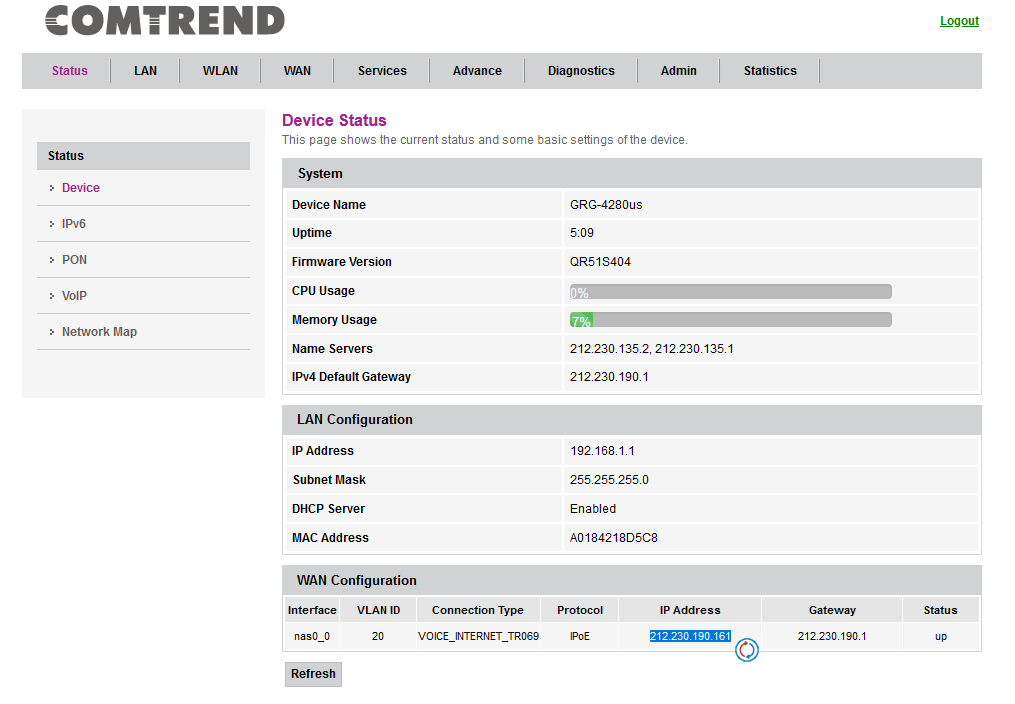
Accés: 192.168.1.1
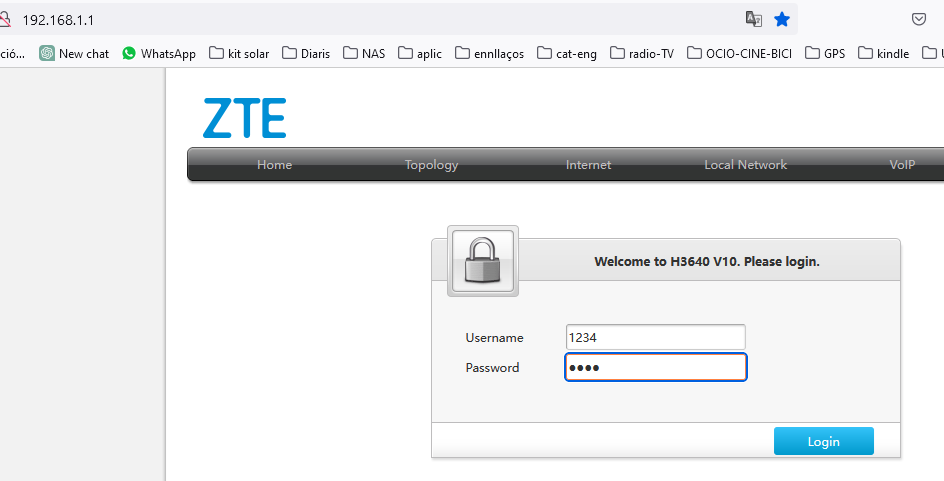
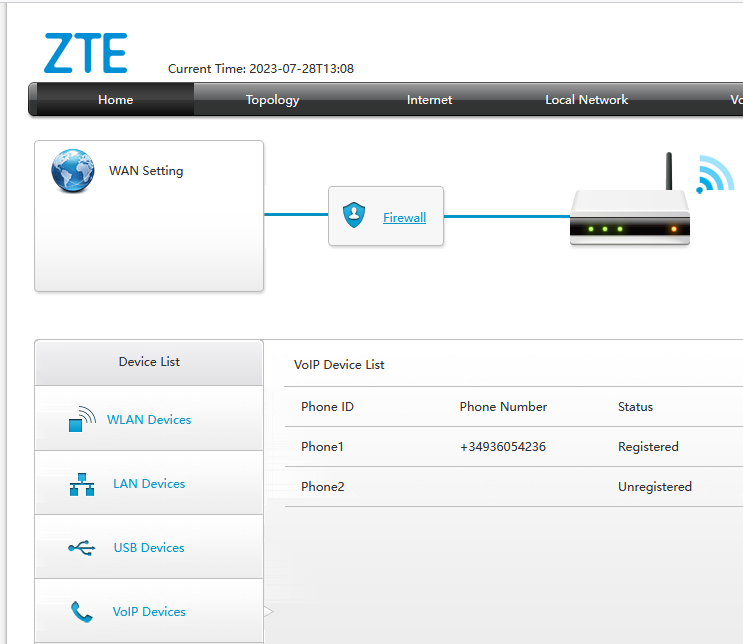
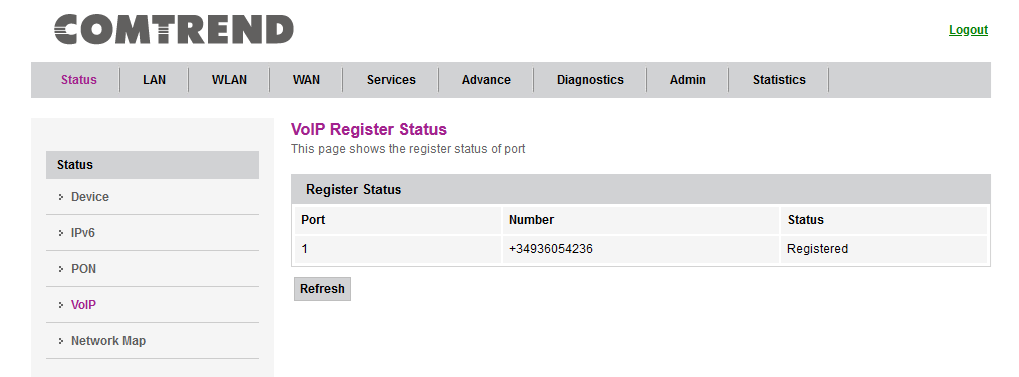
El telèfon és: +34936053236
Ip adress: 139.47.117.148 dinamica
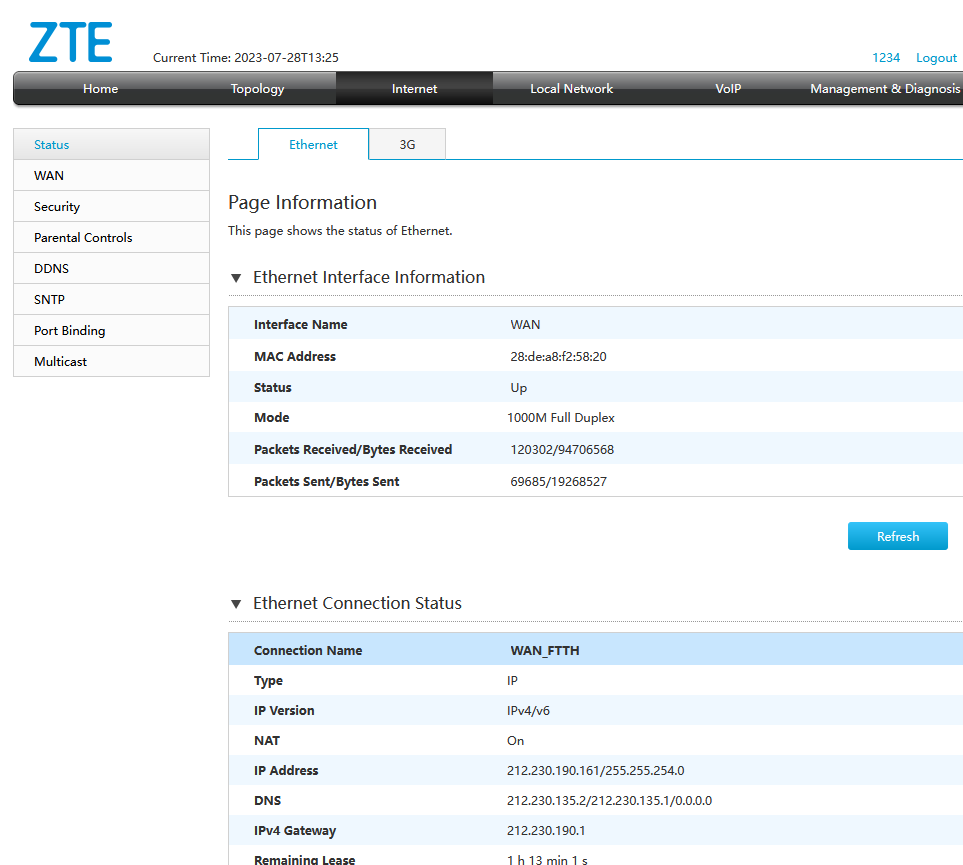
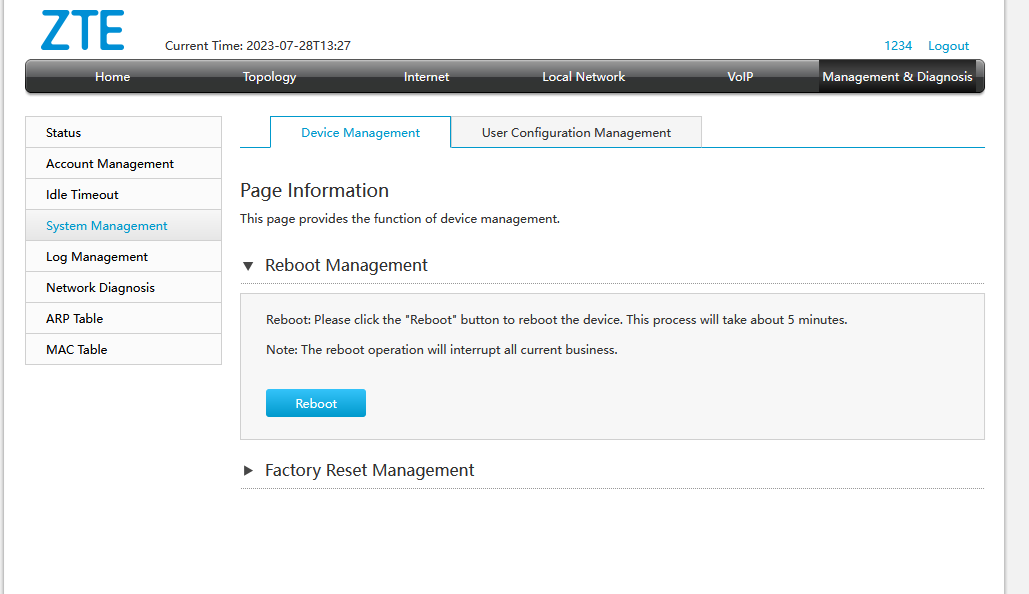
Reiniciar i paràmetres de fabrica:
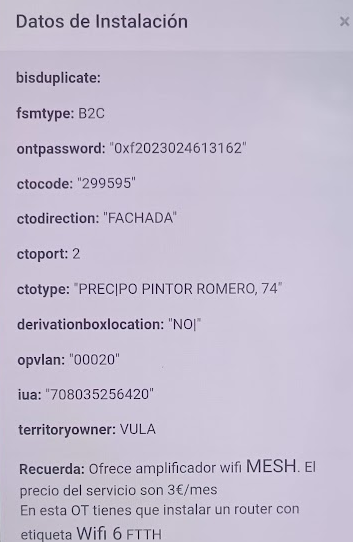
Password:
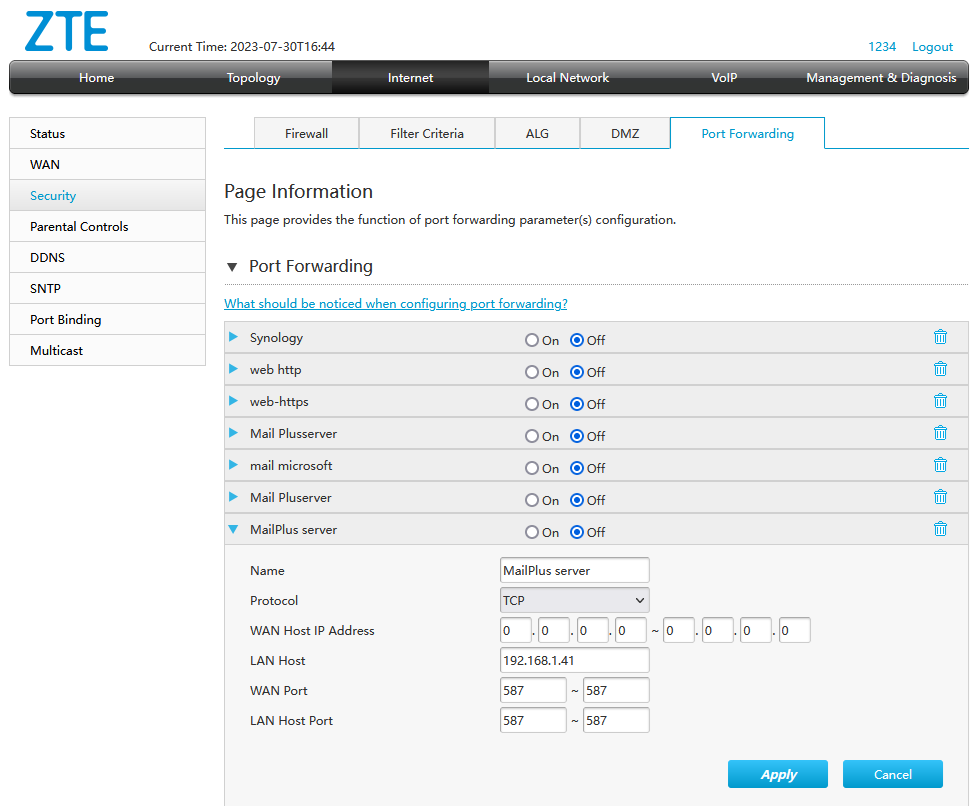
blue 1, red 5, yellow 6 +
–
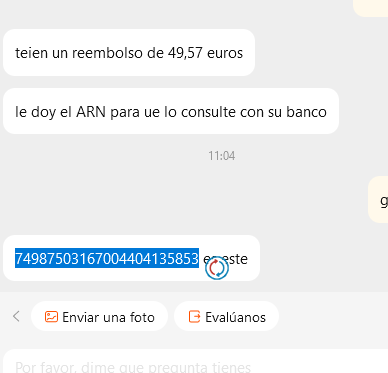
Normalment quan tornes una producte comprat al comerç electrònic et fan un reemborsament. Aquest sol ser automàtic i al cap d’uns dies veus em moviment en positiu al teu compte. Si això no és produeix has d’aconseguir el ARN a traves d’atenció al client de la tenda (AliExpress, per exemple) i després el teu banc ha de fer una reclamació.
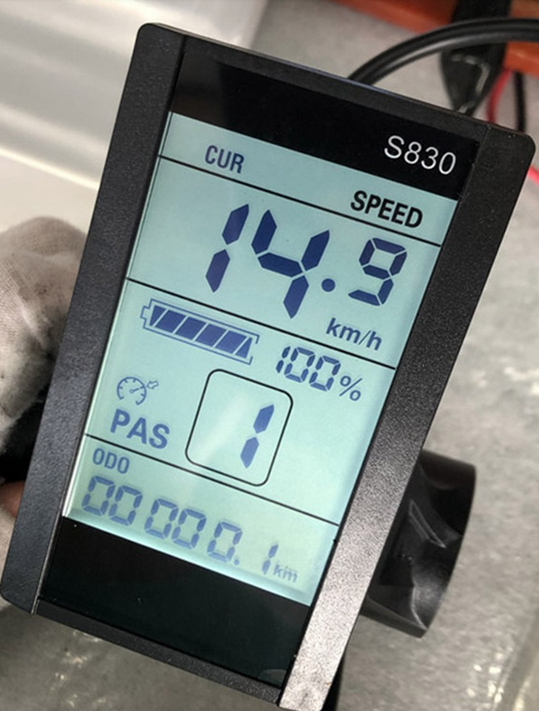
I d’alta qualitat
Fet de material dʻalta qualitat, durador i pràctic dʻusar. Adequat forElectric bicicleta
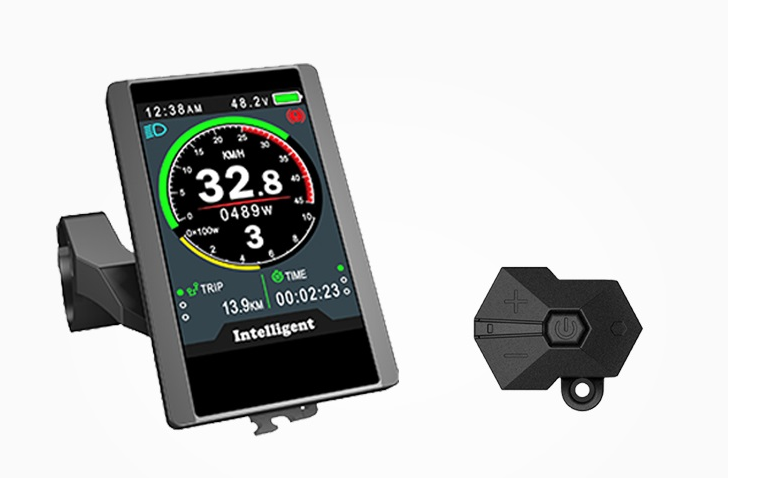
El LCD S830 té funcions, que es poden utilitzar com a ordinador de conducció o controlar tot el sistema eBike després de la conversió.
Si el PAS està instal·lat, el LCD pot deixar que el controlador tingui el nivell auxiliar requerit. Mostra la bateria restant, la velocitat actual, la velocitat mitjana, la velocitat màxima, el rellotge i la distància del recorregut.
Acord: bateria de liti 2 # protocol. Funciona amb un controlador que té el mateix acord. Si no el pots fer servir a causa de l’acord de visualització després de la compra, no s’acceptaran reemborsaments
Paràmetres:
Per anar a Paràmetres, pressioni i mantingui pressionades les «FLETXES AMUNT I AVALL» alhora durant aproximadament 5 segons, dins dels 8 segons quan encén el kit.
P01: Brillo (1 és el més fosc; 3 és el més brillant) (1)
P02: 0 és KM, 1 és MILLA (0)
P03: voltage grades; 24V/36V/48V/52V/72V
P04: Hora de dormir. 0 significa que la pantalla LCD mai s’apagarà per al mode d’estalvi d’energia, altres números representen el temps de repòs (1-60 min).
P05:(1-5) qualificacions PAS. 3: Velocitat de 3 nivells per a accelerador i PAS 5: Velocitat de 5 nivells per a accelerador i PAS 9: Velocitat de 9 nivells per a accelerador i PAS
P06: Mida de la roda 26″. Unitat: polzada Precisió: 0.1 La unitat de mida de roda que es mostra en polzades s’ ha de configurar correctament.
P07: Rang: 1-100 Això és 46 per a motors de transmissió directa (1200w i més) i 01 per a motors amb engranatges (500w -750W).
P08: Speed Limit Rang: 0-50 km/h, 50 significa sense límit El límit s’ estableix en Km i no es pot canviar a Mil. Així que calculeu acuradament quan estableixi el límit. Estat de comunicació (controlat pel controlador): La velocitat de conducció es manté igual a la que configurem. Error aleatori: ±1km/h. (El límit de velocitat és per a PAS i Throttle accelerador) Nota: Aquestes dades es basen en KM. En canviar KM a Milla, el valor de velocitat a la pantalla es convertirà automàticament en milles correctes, però si no canvia la configuració del límit de velocitat de KM a Milla, serà diferent del límit de velocitat real a Milla. Aquesta velocitat màxima només s’assoleix amb el PAS 5.
P09: (1 no va l’accelerador)
Configuració d’inici zero i diferent de zero: L’arrencada zero (0) activarà el motor instantàniament, mentre que l’arrencada diferent de zero (1) donarà una mica de retard quan acceleri.
P10: Configuració del mode de maneig 0: Power Drive: la marxa específica de la transmissió assistida decideix el valor de la potència assistida. En aquest estat, l’accelerador no funciona. 1: Accionament elèctric: el vehicle es condueix amb el manillar. En aquest estat l’equip de potència no funciona. 2: Accionament motoritzat + Accionament elèctric: l’ accionament elèctric no funciona en l’ estat d’ arrencada zero.
P12: Rang d’intensitat de potència d’assistència: 0-5 Un valor més baix proporciona una mica d’ajuda quan comença a pedalejar.
P11: Rang de configuració de sensibilitat d’assistència: 1-24. (1 màxima sensibilitat retard mínim)
P13: Número d’ acer de l’ imant de potència. N’ hi ha 3 tipus: 5, 8 i 12. Punts a l’ anell magnètic. En el nostre sistema, és 5 per defecte.
P14: La limitació de corrent del controlador El corrent original és 12A. Rang: 1-20A Verifiqui el corrent que el seu controlador i el motor del cub poden manejar. Estableixi el límit en conseqüència. PS: Les últimes versions de la pantalla SW900 i S830 ajusten el corrent automàticament.
P16: ODO Zero-Out: mantingui pressionada la tecla superior durant 5 segons i ODO es posarà a zero. Utilitzi aquesta opció per restablir ODO. Nota: Quan configura P09 com a 0, ja sigui que configuri P10 com 0, 1 o 2, tant l’ accelerador com el PAS poden iniciar el sistema i funcionar. Quan configura P09 com a 1 i P10 com a 0, només PAS pot iniciar el sistema. Quan configura P09 com 1 i P10 com 1, tant l’ accelerador com el PAS no funcionaran. Quan configura P09 com a 1 i P10 com a 2, només PAS pot iniciar el sistema, després funcionarà l’accelerador
Operació:
Mantingueu pressionat els botons amunt i avall de l’instrument per ingressar a l’instrument.
P01: brillantor de la llum de fons, el nivell 1 és el més fosc, el nivell 3 és el més brillant.
P02: unitat de quilometratge, 0: KM;1: milla.
P03: Nivell de voltatge: 24V,36V,48V.
P04: 0, sense dormir; Altres números són, rang: 1-60; Unitat de minuts.
P05: engranatge d’assistència 1-9
P06: diàmetre de la roda: Unitat, polzada; Precisió: 0,1.
P07: Número d’imants de velocitat: Rang: 1-100.
P08: límit de velocitat: 0-100% rang de percentatge de velocitat, 100 vol dir velocitat 100%.
P09: configuració zero, sense zero, 0: zero; 1: sense zero.
P10: configuració del mode d’accionament 0: Unitat assistida per energia (el mànec no és vàlid).1: accionament elèctric (conduïu a través del manillar, en aquest moment l’engranatge d’assistència no és vàlid).2: La unitat assistida per energia i l’accionament elèctric coexisteixen alhora.
P11: Rang de configuració de sensibilitat d’assistència: 1-24.
P12: rang d’ajust d’intensitat assistida per energia: 0-5.
P13: Configuració de tipus d’imant assistit per energia hi ha tres tipus de 5,8 i 12 imants, 5 i 8 dels quals són sensors assistits per energia d’un sol saló.
La configuració 12 es fa servir per a sensors d’assistència de doble Hall.
P14:No hi ha aquesta funció temporalment.
P15:No existeix aquest número temporalment.
P16: Ajust de reinici d’ODO premeu i mantingueu premut el botó up durant 5 segons per reiniciar l’ODO
Tipus: mascle impermeable
Material: de plàstic
Color: Negre
Contingut del paquet:
1 * pantalla LCD
==chat GPT====================
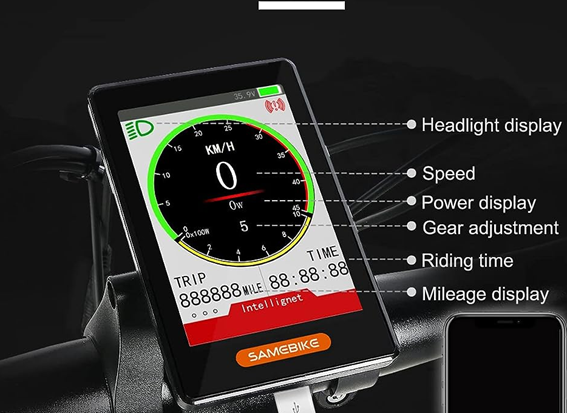
El S830 es un tipo de pantalla LCD utilizado en muchas bicicletas eléctricas (e-bikes) para mostrar información sobre el estado y el rendimiento de la bicicleta. Algunas de las funciones comunes de la pantalla LCD S830 incluyen:
1. Velocidad: La pantalla muestra la velocidad actual de la bicicleta, ya sea en kilómetros por hora (km/h) o millas por hora (mph), dependiendo de la configuración.
2. Nivel de asistencia: Si la bicicleta tiene asistencia eléctrica variable, la pantalla muestra el nivel de asistencia seleccionado. Esto indica la cantidad de ayuda eléctrica que se proporciona al pedalear.
3. Nivel de batería: La pantalla muestra el nivel de carga de la batería de la bicicleta. Esto te permite ver cuánta energía queda antes de que necesites recargar la batería.
4. Distancia recorrida: La pantalla muestra la distancia total recorrida durante el viaje actual o desde el último reinicio. Esto te ayuda a realizar un seguimiento de la distancia que has cubierto.
5. Duración del viaje: La pantalla muestra el tiempo transcurrido desde el inicio del viaje actual o desde el último reinicio. Esto te permite tener una idea de cuánto tiempo has estado conduciendo.
6. Indicador de luces: Algunas pantallas LCD S830 también pueden tener un indicador para las luces de la bicicleta. Esto te muestra si las luces están encendidas o apagadas.
Es importante tener en cuenta que las funciones exactas pueden variar según la marca y el modelo de la bicicleta eléctrica, así como la configuración específica del fabricante. Por lo tanto, es posible que algunos modelos de e-bike con una pantalla LCD S830 tengan características adicionales o diferentes a las mencionadas anteriormente.
QUANTS PINS UTILITZA?
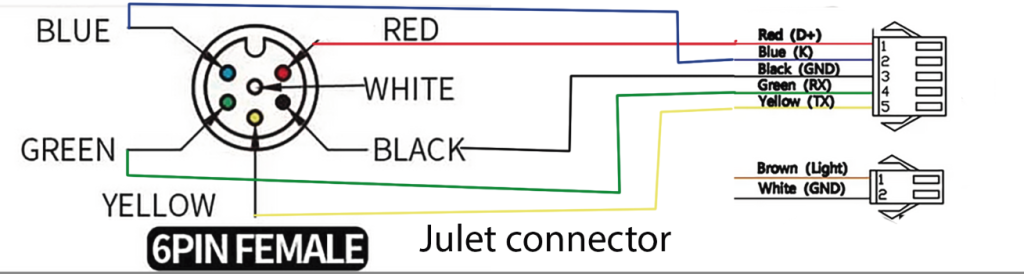
COLORS/PINS: Red/Blue/Black/Green/Yelow /1,2,3,4,5
El número de pines utilizado por una pantalla LCD S830 puede variar dependiendo de la configuración y el fabricante específico. Sin embargo, en la mayoría de los casos, una pantalla LCD S830 utiliza una conexión de 5 pines. Estos pines están diseñados para transmitir información y señales entre la pantalla y otros componentes de la bicicleta eléctrica, como el controlador y el sistema de asistencia eléctrica.
Los pines comunes utilizados en una pantalla LCD S830 son:
1. VCC: Es el pin de alimentación de la pantalla, que se conecta a la fuente de alimentación de la bicicleta eléctrica.
2. GND: Es el pin de tierra o conexión a tierra, que se conecta a la referencia de voltaje de la bicicleta eléctrica.
3. TX: Es el pin de transmisión de datos, utilizado para enviar información desde la pantalla a otros componentes de la bicicleta.
4. RX: Es el pin de recepción de datos, utilizado para recibir información de otros componentes de la bicicleta y mostrarla en la pantalla.
5. PWR: Es el pin de encendido/apagado, utilizado para controlar la alimentación de la pantalla.
Es importante tener en cuenta que esta es una configuración general y puede haber variaciones en el número y la función de los pines dependiendo del fabricante y el modelo específico de la pantalla LCD S830. Por lo tanto, es recomendable consultar el manual o la documentación proporcionada por el fabricante para obtener información precisa sobre los pines y su uso en una pantalla LCD S830 en particular.
El conector de salida utilizado en el LCD S830 suele ser un conector de tipo JST (Japan Solderless Terminal). El conector JST es un tipo de conector eléctrico de enganche rápido y se utiliza comúnmente en dispositivos electrónicos para proporcionar conexiones seguras y confiables.
El conector JST utilizado en el LCD S830 suele ser de 5 pines, con un espaciado entre pines de aproximadamente 2,0 mm. Estos conectores están diseñados para encajar de manera precisa y segura en el puerto correspondiente de la placa de circuito impreso (PCB) del LCD y permitir una conexión eléctrica estable.
Es importante destacar que el conector JST puede tener diferentes variantes y tamaños, por lo que es posible que encuentres variantes específicas del conector JST utilizadas en el LCD S830 dependiendo del fabricante o del modelo exacto de la pantalla.
.
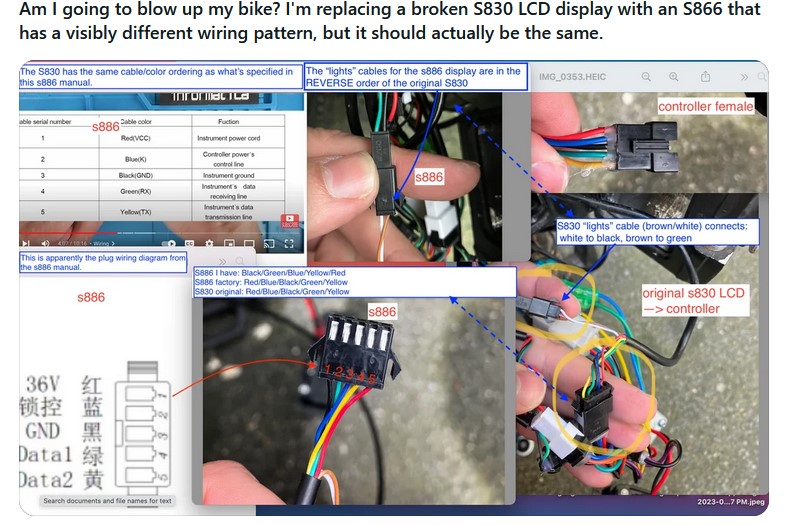
Connector S886: Sembla que el colors i les funcions son les mateixes però en un altre ordre.
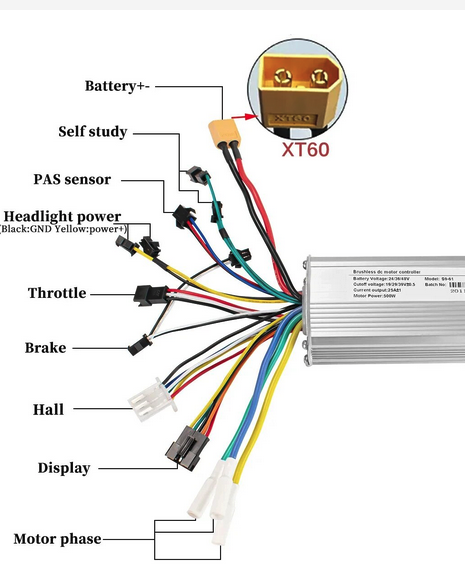

Dfff
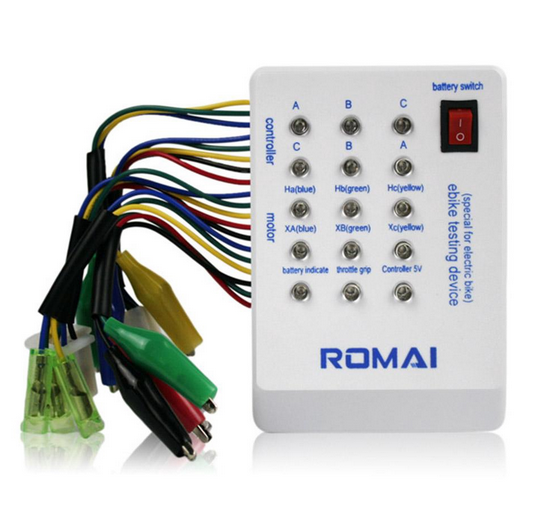
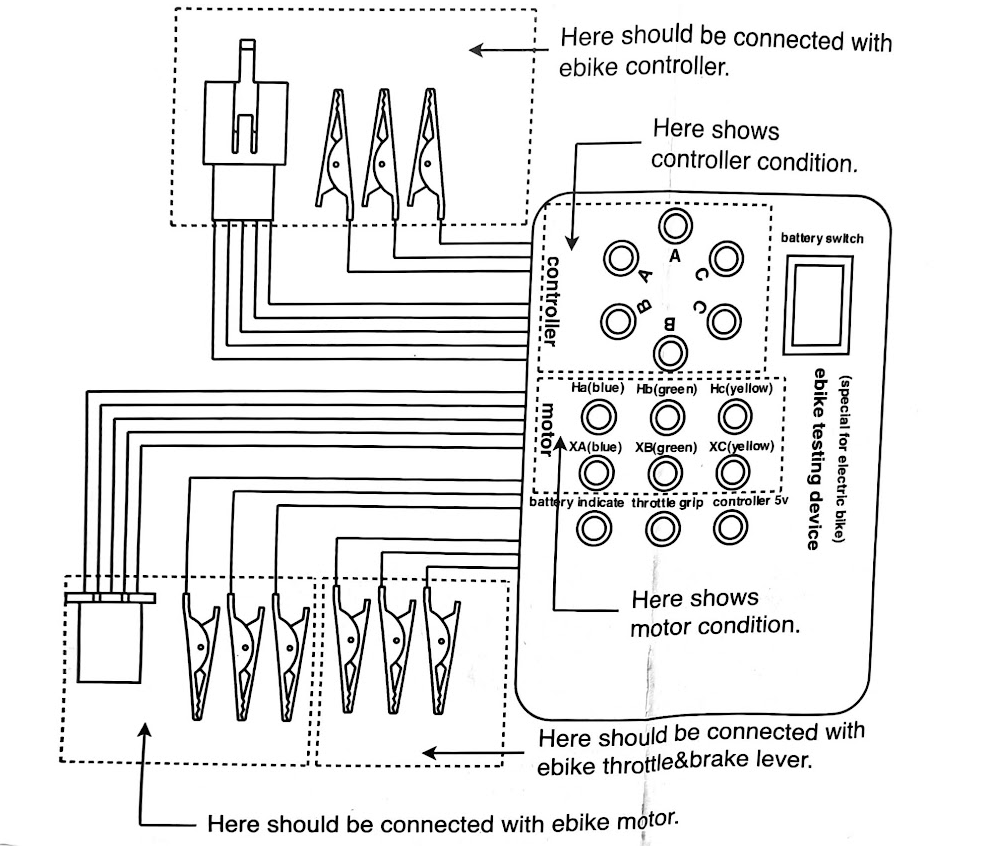
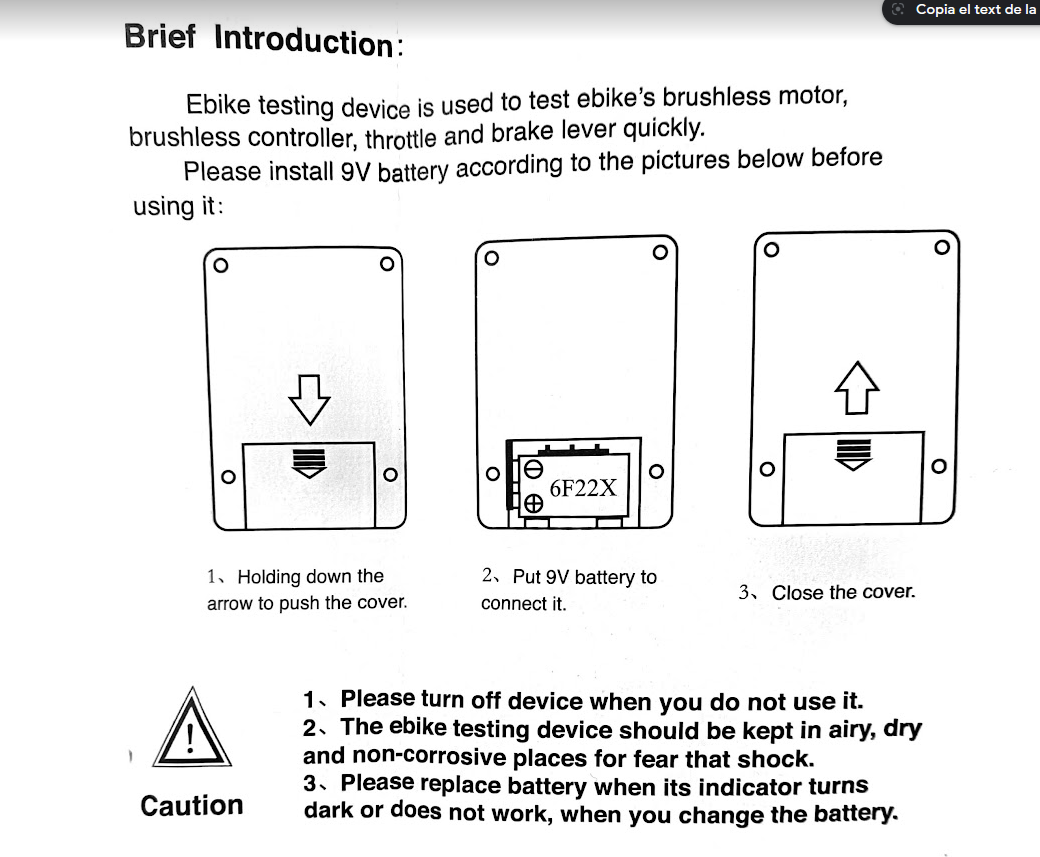
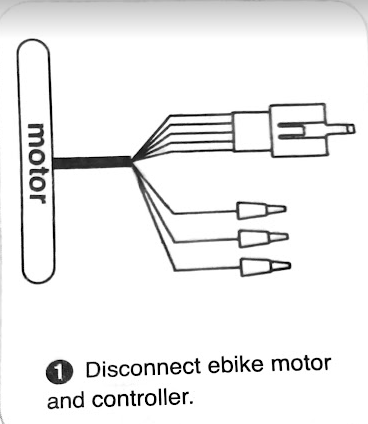
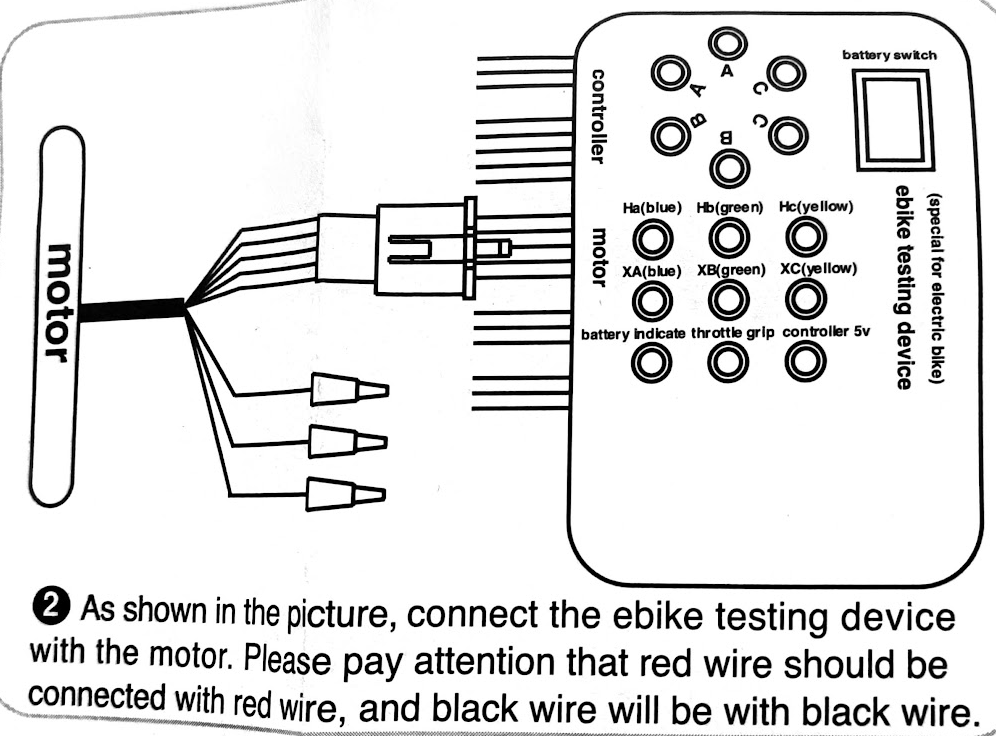
Brushless motor hall and Brushless motorphase angle testing
|
|
|
Open a refund/dispute/offline order
linda
Customer Service Agent
Hello!This is Linda from the Alibaba.com Customer Service Team. I am glad to be at your service.May I know how can I help you?
hello I try to begin a refund process. I’m not sure to got it. Can you help me? (the sell store have to do a refund of 79,99 euros
Don’t worry you have my full support and rest assured everything this I will do is for the betterment and to help you out o this
May I have your order number and I will help you check the order status .
19:28
Order No.171890959001021930
I’ll be happy to check for you. Can you give 2 to 3 minutes to check the details?
you need refund?
yes I need that the sell store pay the engine repair (79,99 E
I can help you contact the dispute team to convey your request
1
May I have your email address ?
sure: urqtejmi@gmail.com
Once it updates within 1-3 working day you will be notified via email address directly by our higher team for this.
19:33
thanks
You are a kind customer of our Alibaba platform, I believe there will be good results. Let’s look forward to good results together
Most importantly, take care and have a blessed day/night you be worthy of!
I wish you a happy day and everything goes well
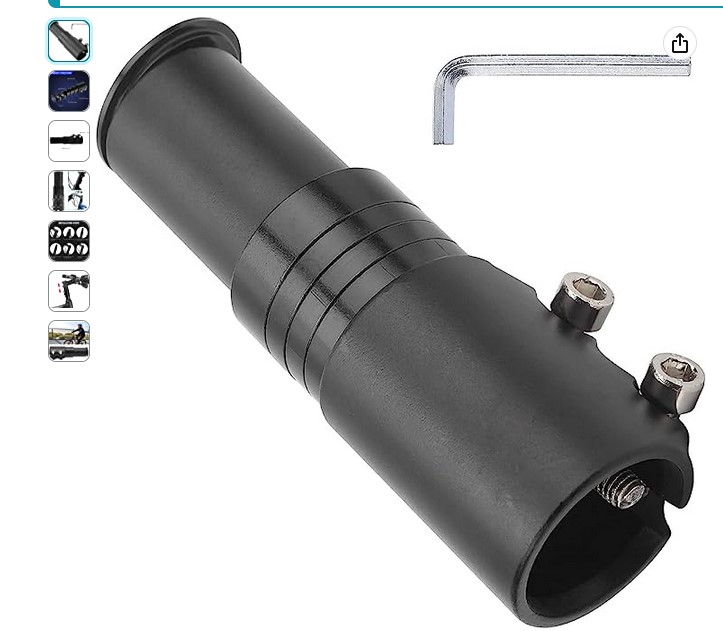
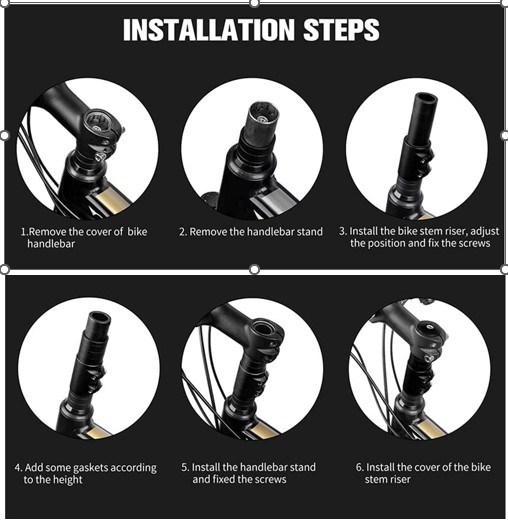
QIQN Elevador de Manillar de Bicicleta Adaptador d’Extensor d’Aliatge d’Alumini per a Bicicleta de Muntanya, Bicicleta de Carretera, MTB, BMX 28.6mm Negre
Marca: QIQN