Vista

Deformar:

Vista

Deformar:


Si el visualitzador és en modo photo en podem veure de repetides. La primera està carregada manualment des de la camara NIKON (14MB) i la segona (0,9MB) ha pujat automàticament des del mòbil amb snapbridge


Si es munten àlbums aquest problema desapareix ja que només figuren les fotos que expressament s’han insertat.
Synology photos i Xiaomi 11

Es poden passar les photos des del movil i proyectales a la TV. També es pot veure la informació de la photo des un album

Ho podem fer amb powershell de Windows
powershell

ssh -22 urqtejmi@192.168.1.36
o
ssh -24 urqtejmi@192.168.1.49
cd /Volumen2/music (s’ha de tindre copiat al clipboard i fer clic-r)
!!
Comandaments git:
anar a un directori: cd /volume2/music (un espai “entre”)
Netejar pantalla: clear
Pujar un directori: cd .. (un espai “entre”)
El comandament du -h -d1 mostra l’espai ocupat dintre del directori sel·leccionat (en aquest cas “music”)
root@synology_vall:/volume2 /@synologydrive_1660145639# rm -r @sync -> esborra el directori @sync (no buit)

Entrar com a root:
1 entar normal
2 sudo -i (intro)
3 password

cd volumen1
esta en procés.. dura bastant

Estem conectats al terminal terminal de synology amb Powershell com root
Commandament per veure el directori:
root@synology_vall:/volume2/@synologydrive_1660145639# dir
total 0
drwxr-xr-x 1 root root 40 Aug 25 23:28 .
drwxr-xr-x 1 root root 1088 Aug 25 21:14 ..
drwxr-xr-x 1 root root 0 Aug 3 12:21 app_integration
drwxr-xr-x 1 root root 304 Aug 3 12:21 @sync
Ara podem eliminar @sync i tots els subdirectoris: rm -r @sync
root@synology_vall:/volume2/@synologydrive_1660145639# rm -r @sync
root@synology_vall:/volume2/@synologydrive_1660145639# dir
total 0
drwxr-xr-x 1 root root 30 Aug 25 23:52 .
drwxr-xr-x 1 root root 1088 Aug 25 21:14 ..
drwxr-xr-x 1 root root 0 Aug 3 12:21 app_integration
Veiem que @sync ha desaparegut
Un cop s’han elimiat tots els directoris de @synologydrive_1660145639, un dir ens mostra un directori vuit
root@synology_vall:/volume2/@synologydrive_1660145639# dir
total 0
drwxr-xr-x 1 root root 0 Aug 25 23:55 .
drwxr-xr-x 1 root root 1088 Aug 25 21:14 ..
i un dir al volume2 ens mostra com s’ha recuperat l’espai:
root@synology_vall:/volume2# du -h -d1
410M ./@eaDir
3.1G ./@database
192K ./@S2S
100K ./@USBCopy
3.6G ./@appstore
233G ./ALI
4.6G ./homes
72G ./web
111G ./music
4.0K ./@download
0 ./@AntiVirus
1008K ./@ActiveBackup
112K ./@SynologyApplicationService
396M ./@MailPlus-Server
44M ./@maillog
8.3G ./@docker
225G ./software
167M ./dropbox
16G ./GoogleDrive
30M ./@cloudsync
64K ./@sharesnap
685M ./@img_bkp_cache
43M ./MailPlus
0 ./@quarantine
26M ./@SynoDrive
14G ./docker
13G ./MySQL_backup
1.3G ./@appdata
116K ./@apptemp
12K ./@apphome
1.2M ./@appconf
716K ./@userpreference
0 ./@autoupdate
4.0K ./Drive general
100K ./@ActiveBackup-Office365
0 ./@OfficeLog
0 ./@webdav
248K ./SFTP
1.1M ./@SynoFinder-log
32K ./@SynoFinder-etc-volume
98M ./web_packages
241G ./photo
459G ./video
80K ./git
0 ./@tmp
1.4T .
root@synology_vall:/volume2#
En lloc dels 3TB anteriors
root@synology_vall:/volume2# du -h -d1
410M ./@eaDir
3.1G ./@database
192K ./@S2S
100K ./@USBCopy
3.6G ./@appstore
233G ./ALI
4.6G ./homes
72G ./web
111G ./music
4.0K ./@download
0 ./@AntiVirus
1008K ./@ActiveBackup
112K ./@SynologyApplicationService
396M ./@MailPlus-Server
42M ./@maillog
8.3G ./@docker
225G ./software
167M ./dropbox
16G ./GoogleDrive
30M ./@cloudsync
64K ./@sharesnap
685M ./@img_bkp_cache
43M ./MailPlus
0 ./@quarantine
26M ./@SynoDrive
14G ./docker
13G ./MySQL_backup
1.3G ./@appdata
116K ./@apptemp
12K ./@apphome
1.2M ./@appconf
716K ./@userpreference
0 ./@autoupdate
4.0K ./Drive general
100K ./@ActiveBackup-Office365
0 ./@OfficeLog
0 ./@webdav
248K ./SFTP
5.2M ./@SynoFinder-log
32K ./@SynoFinder-etc-volume
1.6T ./@synologydrive_1660145639 98M ./web_packages BORRAR!!!
241G ./photo
459G ./video
80K ./git
0 ./@tmp
3.0T .
root@synology_vall:/vol
…which would explain why Drive didn’t detect and adopt it when it was reinstalled.
Oh, and since your post doesn’t give any indication of your comfort level with Linux, the actual command you want is
rm -rf /volume1/@synologydrive_1592994717 (assuming it’s on volume1 – if not, adjust accordingly)
un cop borrat @synologydrive_1660145639 queda:
root@synology_vall:/volume2# du -h -d1
410M ./@eaDir
3.1G ./@database
192K ./@S2S
100K ./@USBCopy
3.6G ./@appstore
233G ./ALI
4.6G ./homes
72G ./web
111G ./music
4.0K ./@download
0 ./@AntiVirus
1008K ./@ActiveBackup
112K ./@SynologyApplicationService
396M ./@MailPlus-Server
44M ./@maillog
8.3G ./@docker
225G ./software
167M ./dropbox
16G ./GoogleDrive
30M ./@cloudsync
64K ./@sharesnap
685M ./@img_bkp_cache
43M ./MailPlus
0 ./@quarantine
26M ./@SynoDrive
14G ./docker
13G ./MySQL_backup
1.3G ./@appdata
116K ./@apptemp
12K ./@apphome
1.2M ./@appconf
716K ./@userpreference
0 ./@autoupdate
4.0K ./Drive general
100K ./@ActiveBackup-Office365
0 ./@OfficeLog
0 ./@webdav
248K ./SFTP
1.1M ./@SynoFinder-log
32K ./@SynoFinder-etc-volume
98M ./web_packages
241G ./photo
459G ./video
80K ./git
0 ./@tmp
1.4T .
root@synology_vall:/volume2#
Accés des de WordPress

?php
// ** Configuració de MySQL - Podeu obtenir aquesta informació de l'amfitrió de la web ** //
/** El nom de la base de dades del WordPress */
define( 'DB_NAME', 'wordpress' );
/** El nom d'usuari de la base de dades MySQL */
define( 'DB_USER', 'miquel' );
/** La contrasenya de la base de dades MySQL */
define( 'DB_PASSWORD', '******68!' );
/** Nom de l'amfitrió de MySQL */
define( 'DB_HOST', 'localhost' );
/** Joc de caràcters usat en crear taules a la base de dades. */
define( 'DB_CHARSET', 'utf8mb4' );
/** Tipus d'ordenació en la base de dades. No ho canvieu si tens cap dubte. */
define('DB_COLLATE', '');
/*^^^^^^ fins aquí es de wordpress ^^^^ */
// Create connection
//$conn = new mysqli(DB_HOST, DB_USER, DB_PWD, DB_NAME);
//$conn = mysqli_connect("127.0.0.1", "mi_usuario", "mi_contraseña", "mi_bd");
$conn = mysqli_connect(DB_HOST, DB_USER, DB_PASSWORD, DB_NAME);
if (!$conn) { echo "Error: No s'ha pogut connectar a:". DB_NAME ;}
else{echo "Connected successfully";}
?>
Ens hem d’assegurar que l’usuari i la contrasenya tenen accés a la base de dades hi ha que assegurarse des de phpMyAdmin.
Acces des de Syn_secundari: 192.168.1.49
DB_NAME: my_db, beseit, polidic_cat, …
DB_USER: miquel
DB_PASSWORD: ******68!
DB_HOST: localhost
a la carpeta 0-php/automplete2 hi ha examples d’ajuda
config de sideBarEnhacements.json de Sublime 3
{
"Q:/0-php/": {
"url_production":"http:/192.168.1.49/0-php"
}
}
{
"Q:/polidic/": {
"url_production":"http:/192.168.1.49/polidic"
}
}
——————————————————
Synology_vall: 192.168.1.36
DB_NAME: polidic_cat, beseit..
DB_USER: miquel
DB_PASSWORD: ******68!
DB_HOST: ip_fixa:3307- or- urqtejmi.synology.me
————————————————-
Syn_beseit: 192.168.1.48
DB_NAME: polidic_cat, beseit..
DB_USER: Miquel
DB_PASSWORD: ******68!
DB_HOST: localhost
phpMyAdmin: localhost
DB_NAME: polidic_cat
DB_USER: Miquel
DB_PASSWORD: ******68!
DB_HOST: polidic, beseit ..
Ddf
Configurar un lloc web

RED

El llibres electrònics per a Calibre els tinc guardats a la la ubicació de xarxa ‘docker’ i la biblioteca de Calibre està per defecte a P:docker\ebooks

Si es té instal·lat Calibre al Synology (Docker) podem accedir a a calibre amb aquest enllaç: http://Synology-ip-address:7080 en el meu cas (http://81.0.60.36:7080/)
Aqui está mol ben explicat: documentació
http://web.simmons.edu/~grabiner/comm244/weeknine/css-layouts.html#two_column_layouts


2-column-stretch.css
/*
This is basic CSS code for a website with a header, footer, and 2 columns
The sidebar is on the left.
The site is centered and the content is 960px wide, but the backgrounds stretch to fit the page
*/
/* Basic Reset */
* {margin:0; padding: 0;}
/* Basic Structure */
body {
text-align: center; /* This is a hack for older browsers to center the page */
}
.centerLayout {
/* We use a class for this since we’re using it in several places */
margin: 0 auto; /* This centers the page in modern browsers */
text-align: left; /* This is a hack for older browsers to center the page */
width: 960px; /* This sets our total page width */
}
#navigation li {
float: left; /* Floating also makes our navigation display in a line */
}
#content {
float: left; /* This causes the content to move to the left */
width: 700px; /* We need to set the width whenever we float an element */
}
#sidebar {
float: left; /* This causes the sidebar to move to the left */
width: 260px; /* We need to set the width whenever we float an element */
}
#footer {
clear: both; /* This makes sure that the footer clears both the sidebar and content floats */
}
/*
* For Demonstration Only
* This code is just for the purpose of the demonstration to hightlight things so that you can see them
*/
body {
background-color: #666;
color: white;
}
#header {
background-color: aqua;
height: 100px;
}
#navigation {
background-color: red;
line-height: 2;
overflow: auto; /* Elements that only contain “floated” content have no height.
In order to give then height and force them to wrap around their content,
we use overflow: auto
*/
}
#navigation li {
list-style: none;
width: 150px; /* This sets the width of our links to 150px wide */
}
#content {
background-color: #666;
}
#sidebar {
background-color: #999;
clear: left; /* We have to make sure that the sidebar clears the navigation, since we’ve floated it */
}
#footer {
background-color: black;
}
2_Column_Layout.html
<!DOCTYPE html PUBLIC "-//W3C//DTD XHTML 1.0 Strict//EN" "http://www.w3.org/TR/xhtml1/DTD/xhtml1-strict.dtd">
<html xmlns="http://www.w3.org/1999/xhtml" xml:lang="ru">
<head>
<title>Basic 2 Column Layout that stretchs</title>
<meta http-equiv="Content-Type" content="text/html;charset=UTF-8"/>
<link rel="stylesheet" href="2-column-stretch.css" type="text/css" media="screen" charset="utf-8" />
</head>
<body>
<div id="header">
<div class="centerLayout">
<p>logo</p>
</div>
</div>
<div id="navigation">
<div class="centerLayout">
<ul>
<li>link 1</li>
<li>link 2</li>
<li>link 3</li>
</ul>
</div>
</div>
<div class="centerLayout">
<div id="sidebar">
<h2>Sidebar</h2>
<p>Lorem ipsum dolor sit amet, consectetur adipisicing elit, sed do eiusmod tempor incididunt ut labore et dolore magna aliqua. Ut enim ad minim veniam, quis nostrud exercitation ullamco laboris nisi ut aliquip ex ea commodo consequat. Duis aute irure dolor in reprehenderit in voluptate velit esse cillum dolore eu fugiat nulla pariatur. Excepteur sint occaecat cupidatat non proident, sunt in culpa qui officia deserunt mollit anim id est laborum.</p>
</div>
<div id="content">
<h1>Content</h1>
<p>Lorem ipsum dolor sit amet, consectetur adipisicing elit, sed do eiusmod tempor incididunt ut labore et dolore magna aliqua. Ut enim ad minim veniam, quis nostrud exercitation ullamco laboris nisi ut aliquip ex ea commodo consequat. Duis aute irure dolor in reprehenderit in voluptate velit esse cillum dolore eu fugiat nulla pariatur. Excepteur sint occaecat cupidatat non proident, sunt in culpa qui officia deserunt mollit anim id est laborum.</p>
</div>
</div>
<div id="footer">
<div class="centerLayout">
<h3>Footer</h3>
<p>Lorem ipsum dolor sit amet, consectetur adipisicing elit, sed do eiusmod tempor incididunt ut labore et dolore magna aliqua. Ut enim ad minim veniam, quis nostrud exercitation ullamco laboris nisi ut aliquip ex ea commodo consequat. Duis aute irure dolor in reprehenderit in voluptate velit esse cillum dolore eu fugiat nulla pariatur. Excepteur sint occaecat cupidatat non proident, sunt in culpa qui officia deserunt mollit anim id est laborum.</p>
</div>
</div>
</div>
</body>
</html>
<form method="POST">
<input type="text" name="name" onkeypress="submitOnEnter(event)"/>
</form>

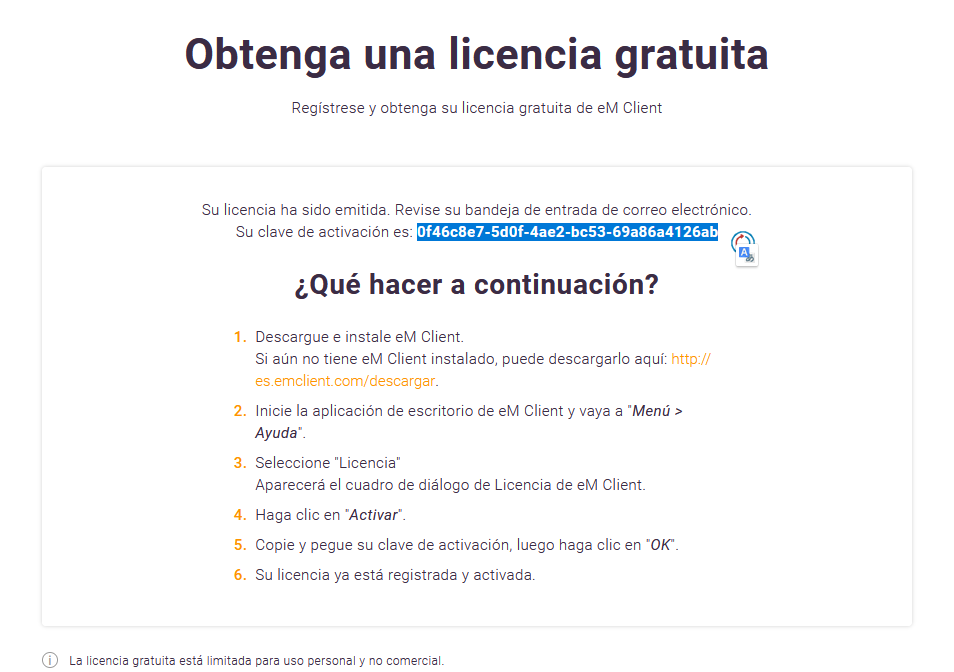
Per aconseguir la clau: